

Question

ALMOST ALL OF MY PROJECTS ARE DELETED AND I CANT SEEM TO FIND THEM.

  • July 1, 2026
  • 2 replies
  • 59 views

Wahab Ahmad

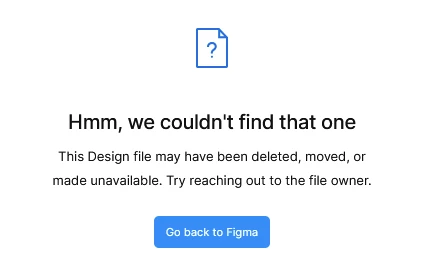
Hi, All my projects are gone, I dont have access to them anymore. They were really important to me and now i cant seem to find them. Please help me recover them. The trash is also empty. There are no deleted projects.
It is very weird. All i get is this. message. Please help.
 

2 replies

ShaikhUmar
  • New Participant
  • July 1, 2026

That sounds really frustrating. The first thing I'd check is whether you're signed into the correct Figma account or workspace, especially if you've used multiple email addresses. If the projects aren't in Drafts, Recents, or any shared team, it's worth checking with your workspace admin to see if your access was removed. If everything is still missing, I'd contact Figma Support as soon as possible with as much detail as you can (account email, file names, workspace name, and approximate dates). Hopefully they're still recoverable.


ksn
Figmate
  • Community Support
  • July 1, 2026

Hey ​@Wahab Ahmad - sorry to hear about this. I understand the concern around these missing files, and I’m happy to try and figure out what happened.

For some context:

There are a few reasons why a deleted file may not be visible in trash:

  • The file was in another team: If you are a member of multiple teams or organizations, you’ll have a trash section for each team or organization. If you move files from one team to the trash, they will not be available in the trash of any other teams.
  • The entire team was deleted: If you delete an entire team, the files from that team will not appear in Trash. If the team was deleted within the last 28 days, you can restore the deleted team to get access to your files and projects again.
  • The project was deleted: If you deleted a project, all the files in that project will be moved to the trash. There isn’t a way to restore an entire project, but you can get copies of the original files. Choose Duplicate to drafts to make a copy of the affected files, create a new project, then move the files into that project.
  • The file is permanently deleted: You won’t be able to see the file in trash if you, or another team member or collaborator with access to the file, has permanently deleted that file. (I’m not convinced this is the issue for you specifically)

See more here.

With that said, I would like to give a +1 to what ​@ShaikhUmar mentioned about checking if you’re in the correct Figma account or workspace if you still have trouble. I did a little bit of digging, and with the information I am able to see, it does look like you have a couple of recent trashed files in a team you have. However, I can’t confirm if these are the ones you’re missing at this time.

Can you share a direct URL to the file[s] that have gone missing?