May 17, 2024
Question

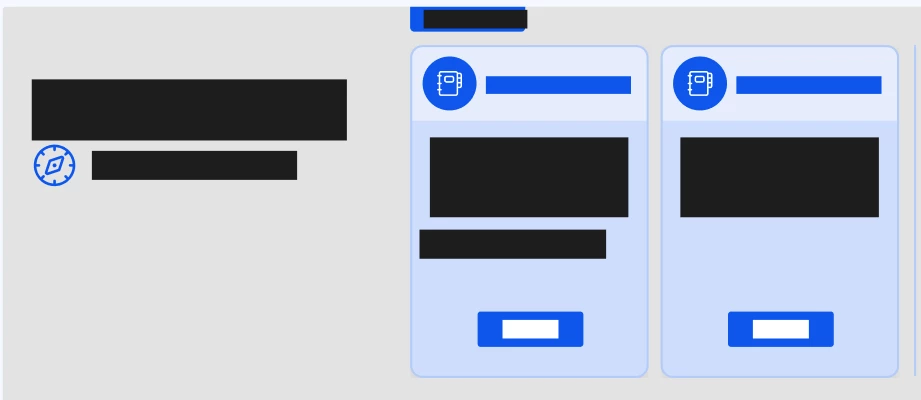
All my text is in blocks

  • May 17, 2024
  • 9 replies
  • 298 views

None of my text is coming up. All of these blue and black boxes are where text should be.
This topic has been closed for replies.

9 replies

djv
Figmate
Community Support
May 20, 2024

Hey @LPC, thanks for reaching out and sorry to see this is happening!

It’s hard to be sure from your screenshot what’s happening. Are you able to share a link to your file, so we can see how you’re set up your text layers?

If so, please include a link to the file in this thread, and share edit access with support-share@figma.com, so we can take a closer look.

LPCAuthor
May 20, 2024

Hello @dvaliao I sent an invite to the Figma file. As you can see, most of the fonts get a black box covered over them and the fonts lose their formatting, resetting back to white lettering. So I need to go into each instance and fix the black box and formatting of the font.

djv
Figmate
Community Support
May 20, 2024

Hey @LPC, thanks for sending an invite!

Can you actually provide a link to the file here? support-share@figma.com is all of support’s shared account to allow us to take a look at a file without charging for any additional editor seats.

LPCAuthor
May 20, 2024
djv
Figmate
Community Support
May 20, 2024

Thanks!

Passing this onto our team to take a look as what’s happening. We’ll update you as soon as we can.

LPCAuthor
May 22, 2024

Hello, any updates on this? Thank you

djv
Figmate
Community Support
May 22, 2024

Nothing to report yet from the team, but we created ticket #1006349 on your behalf. Support will reach out to you directly with any guidance.

LPCAuthor
May 23, 2024

Hello, any update on this?

djv
Figmate
Community Support
May 24, 2024

Hey @LPC, sorry for the delay!

It looks like support replied to the ticket we created for you a few hours ago. Just to reiterate for anyone else on the forum having this issue, this is actually related to a bug that our engineering team is aware of and proactively trying to fix.

Please continue to work with support directly if you have any further questions.
