Solved

Unable to apply border-width variables

  • January 11, 2024
  • 2 replies
  • 761 views

Angy_Brooks

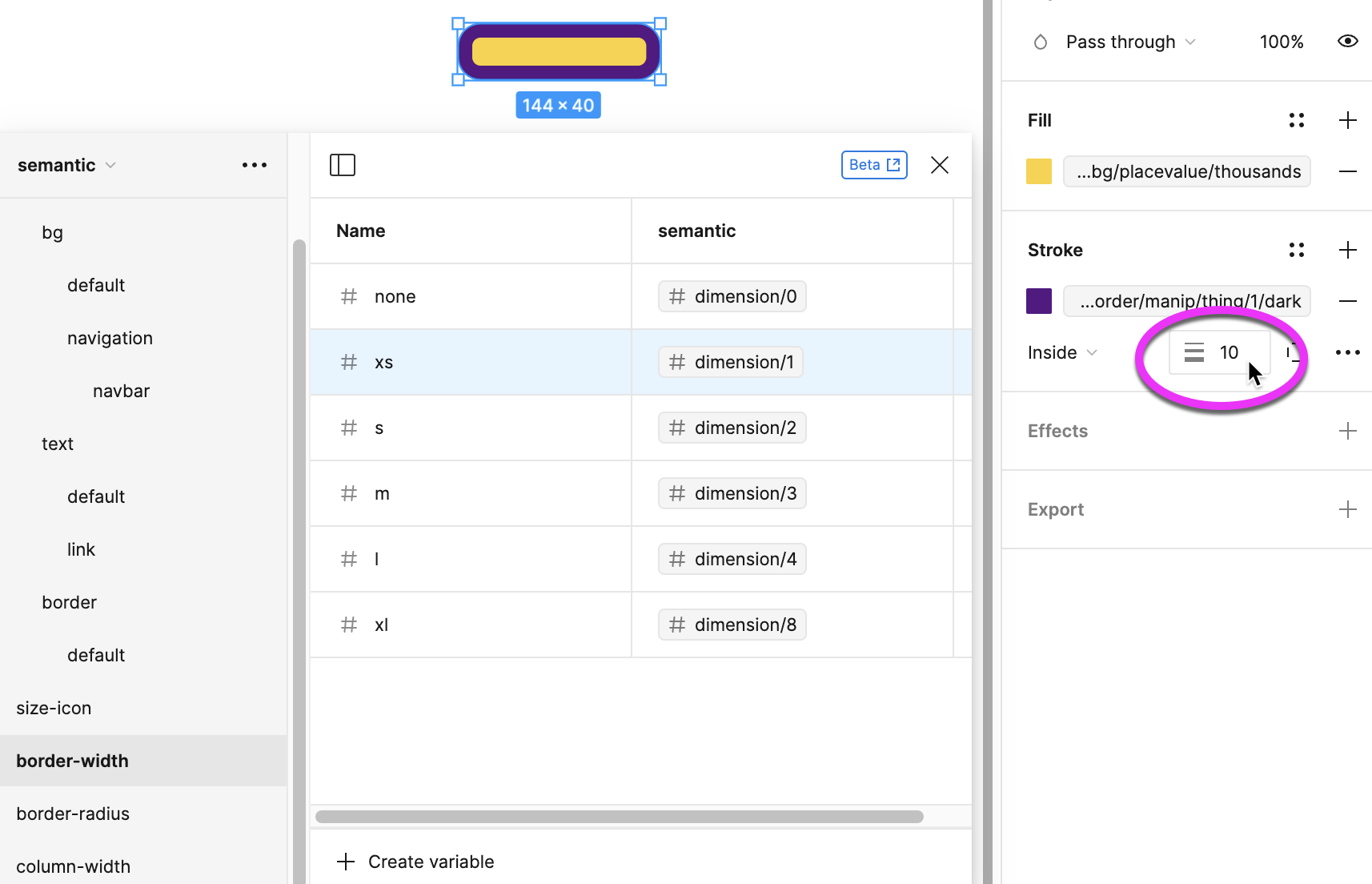
There is no variable icon next to the border-width input box. I am unable to apply my border-width variable.
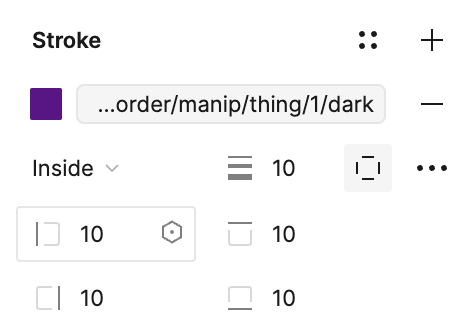
However, if I click on Custom, the 4 width boxes that appear do have the variable icon. I don’t want to have to individually apply my border width when they are all the same.
image

Best answer by Celine_

Hey Angy,
Thanks for reaching out to the community.
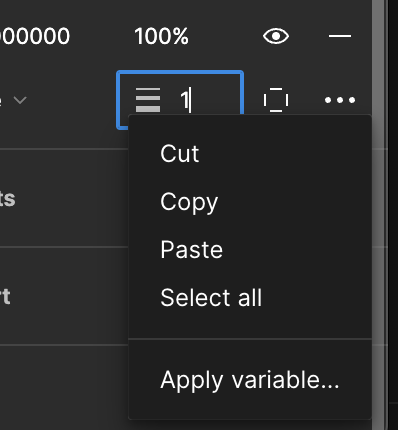
Can you try to right-click? This will show it, see below the screenshot:

Another workaround, you can shift+click, it also opens the variable picker. Hope this helps!

This topic has been closed for replies.

2 replies

Celine_
Figmate
  • Community Support
  • Answer
  • January 12, 2024

Hey Angy,
Thanks for reaching out to the community.
Can you try to right-click? This will show it, see below the screenshot:

Another workaround, you can shift+click, it also opens the variable picker. Hope this helps!


Angy_Brooks
  • Author
  • New Participant
  • January 12, 2024

Thank you! That worked!
I have a saying: “when in doubt, right-click.” I failed to use my own advice.