
Question

Change the navbar variant when scrolling

  • August 10, 2023
  • 1 reply
  • 5541 views

Amirhosein_Fahimi

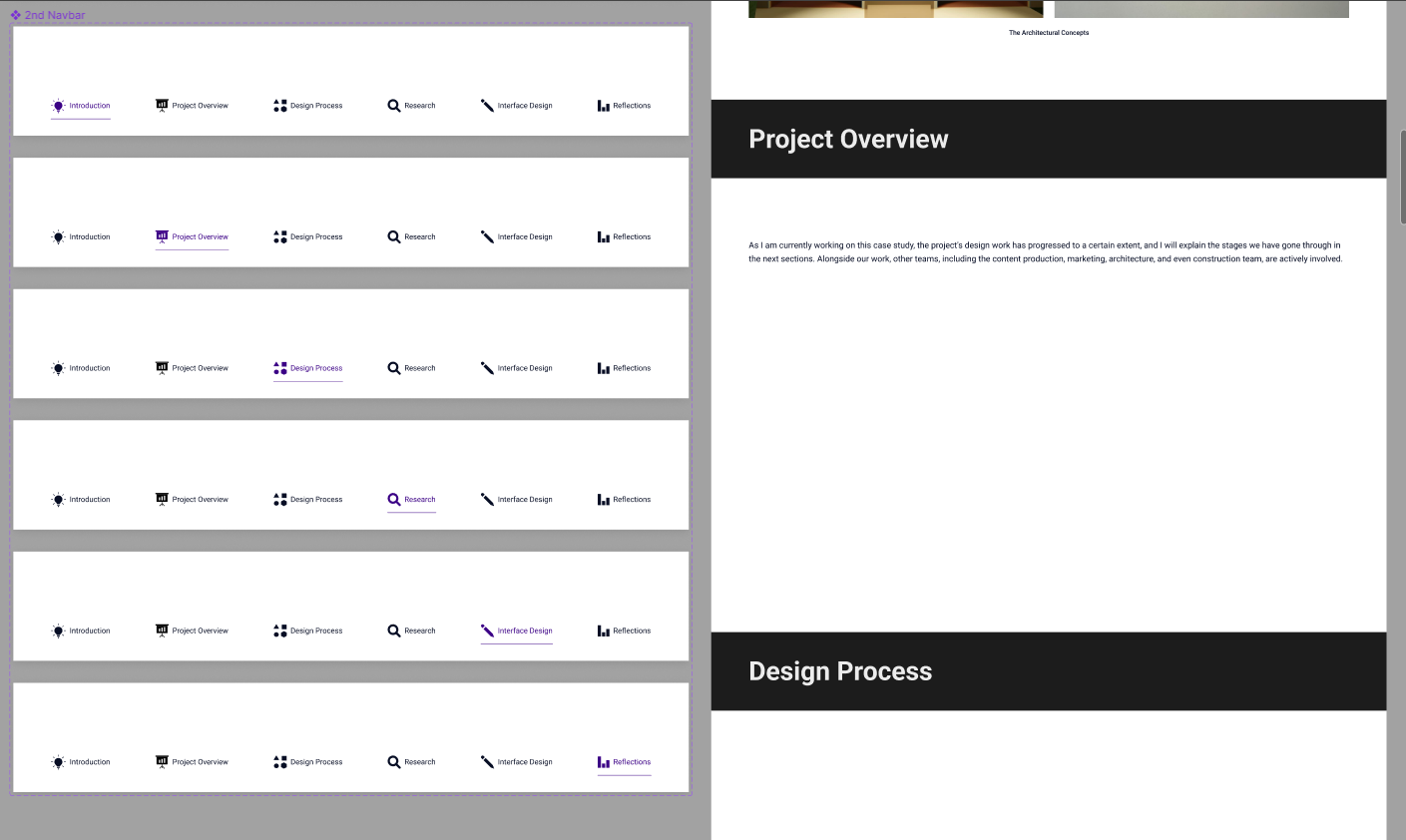
Hi folks. I wanna do sth in my prototype that I couldn’t. There are some variants in my navbar. Whenever I scroll and reach a specific point on my screen, I want the related variant shows up. I mean I want it changes when I scroll and reach a specific point. I did it with a trick of “enter mouse” in the prototype tab, but it has some bugs. (I followed this video: https://www.youtube.com/watch?v=rRdVGYdFrp8

I will attach my Figma draft file. Thanks in advance:

Figma – 10 Aug 23

This topic has been closed for replies.

1 reply

Celine_
Figmate
  • Community Support
  • August 29, 2023

Hi @Amirhosein_Fahimi ,
In your video tutorial, the preserve scroll position in not updated with the new version. I think this may cause the bug.

You have to make sure that you have the “preserve scroll position”.
Now, the preserve scroll position is automatically applied when top-level frames have identical names or matching prefixes. You can learn more in this article here.

For your case, I would suggest you rename your frame in this way “Home/Frame” , “Home/ProjectOverview” …:

And follow up your video tutorial by adding the connections “enter mouse” in the prototype tab as indicated.

Hope it helps!