Solved

Not seeing MCP Server option in Figma Desktop

  • July 12, 2025
  • 4 replies
  • 1397 views

aktx2025

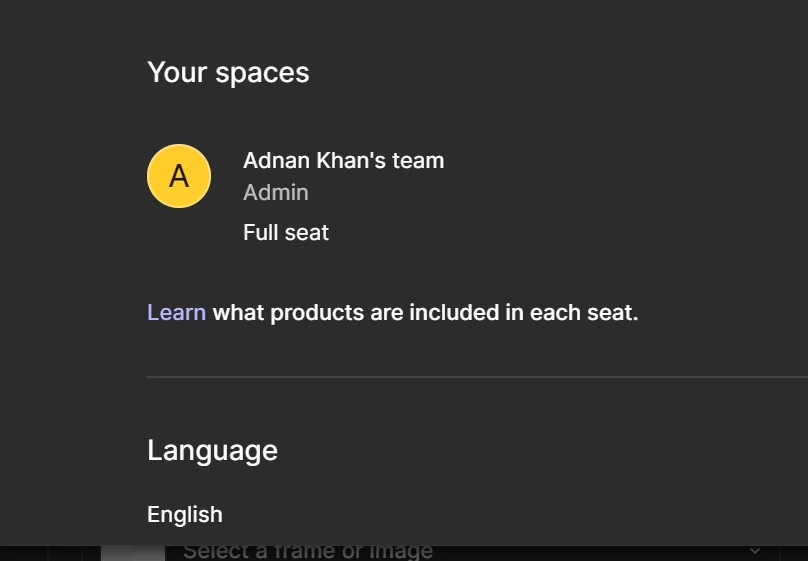
Hi, I’m not able to view the MCP server integration option in the Figma Desktop app in Preferences on Mac ow Windows, I am a paid professional (full Seat), pls see screenshot, I have the latest version of the desktop app also, please advise what I may be missing?


Best answer by Celine_

Hey there! I see in the backend that the support team was able to solve your issue, it appears that it is already enabled for you.

Sorry for any confusion here, our team recently changed the location of the MCP "enable" button to be located within the Dev Mode panel itself rather than in the Preferences menu.
Still, if you are still having trouble, our team can take a closer look at your setting and investigate it further.
Please submit a bug report, to do this, please follow the steps here:

  1. Open our Support Hub
  2. In the search bar, enter “report a bug”
  3. Click “Start a chat”
  4. (“report a bug” should now be in the chat text box) Press “Enter”
  5. Respond to the next question with “Yes”
  6. Submit the bug report

Thank you!

4 replies

  • Figmate
  • July 14, 2025

Hi ​@aktx2025,


I understand you're unable to find the "Enable Dev Mode MCP Server" option under Preferences in your Figma Desktop app (on both Mac and Windows), despite being on a paid Professional plan with the latest app version. 


It's possible that the file you're working on is located in a Drafts folder or a Starter team, which would prevent this option from appearing.

Could you please confirm that the file in question is placed within a Professional team and not in a “Drafts” folder?


Thanks,


Enrique_Stanziola1

Hi,

I had the same problem. On MacOS, the app has 2 Figma menus.

The first one, labeled “Figma”, in the classic upper Mac menu bar, with the “Settings” sub-menu, which doesn't have the Enable MCP option.
The second one is the Figma Logo menu within the app’s window, with the “Preferences” sub-menu, which has the same options as Settings, plus “Enable MCP”.

Very confusing, indeed.

E.


Bhavuk Thakur
  • New Member
  • November 20, 2025

Hi, I'm not able to see "enable dev mode MCP server" in my preference setting, although I have a Full paid professional seat.

My mail id: [redacted]


Celine_
Figmate
  • Community Support
  • Answer
  • December 15, 2025

Hey there! I see in the backend that the support team was able to solve your issue, it appears that it is already enabled for you.

Sorry for any confusion here, our team recently changed the location of the MCP "enable" button to be located within the Dev Mode panel itself rather than in the Preferences menu.
Still, if you are still having trouble, our team can take a closer look at your setting and investigate it further.
Please submit a bug report, to do this, please follow the steps here:

  1. Open our Support Hub
  2. In the search bar, enter “report a bug”
  3. Click “Start a chat”
  4. (“report a bug” should now be in the chat text box) Press “Enter”
  5. Respond to the next question with “Yes”
  6. Submit the bug report

Thank you!