
Question

Vertical transition/animation cropped in component instance

  • November 27, 2023
  • 2 replies
  • 228 views

Lorem-Possum

Hi,
here is the example file: https://www.figma.com/file/AiYlhJZEIXMnLqZkF0rIj6/instance-bug?type=design&node-id=0%3A1&mode=design&t=EpBK27WgZu0y2aTv-1

Try to run prorotype flow 1 and flow 2

flow 1 is for instance of component
and flow 2 is for detached instance

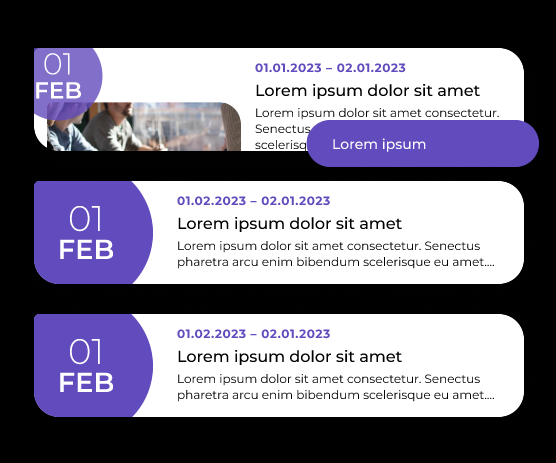
First case - vertical transition/animation is croped
image

And second case - it works properly.

This topic has been closed for replies.

2 replies

y_toku
Figmate
  • Community Support
  • November 28, 2023

Hi there,

Thanks for reaching out and the link. That was helpful for me to understand the issue. This is unfortunately a feature limitation where swapping instances/changing variants on nested instances keeps the size of the initial instances/variant. There is a workaround for it.

To get the nested instance to resize, you can add auto layout on each variant. I attached my video for you.

I hope this helps. We will continue to improve the products with your opinion! Thanks for flagging.

Toku


Lorem-Possum
  • Author
  • Active Member
  • November 28, 2023

Thanks, it works