Question

Urgent! I can‘t open my files in Figma!

  • November 13, 2023
  • 2 replies
  • 556 views

Lindan_Chen

I suddendly find I can’t open / import / new create any files in my Figma.
Sometimes it said it can’t connect the Internet sometimes it said:
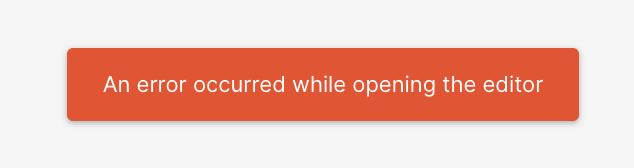
image
I dont know what can I do, I am doing my homework urgently and I am using Wi-fi of school in Hk, Anybody can help me?!!!

This topic has been closed for replies.

2 replies

Lindan_Chen
  • Author
  • November 13, 2023

error code:


Gayani_S
Figmate
  • Community Support
  • November 13, 2023

Hey Lindan, thank you for reaching out!

Can you try logging out and back into Figma, and restarting your computer and network and check if this helps and if no, so we can troubleshoot this with you, can you check a few things for us?

1. Is this just happening for this file, for all existing files or for new files created in Drafts?
If it’s just one or a few files, can you reach to our support team and add support-share@figma.com to the smallest file this happens on as an Editor (this won’t affect your billing at all) and send through a link so we can take a closer look?

2. Can you check and confirm if you see the same problem in any other browsers you have on your computer? Our supported browsers are Chrome, Firefox, Safari and Edge.

3. Does this also happen on another network, like a mobile hotspot?
If it’s just happening on one network, you may need to adjust your proxy VPN or firewall settings as shown in Technical troubleshooting tips or speak to your IT Admins or ISP. Generally for problems affecting a single network we’re not able to troubleshoot as it would require access to your system or network settings.