

Solved

Descender and ascender are not aligned

  • October 13, 2023
  • 3 replies
  • 554 views

Umut_Aydin1

Hi all,

This has been an ongoing issue with our new Design system. The space that a descender in the type box is not aligned, which causes the icons look misaligned with the text. I tried everything even making the line height bigger but it just looks proportionally wrong.

I attached an example of what it looks like at the moment as you can see the spacing in ascenders is totally different to descender
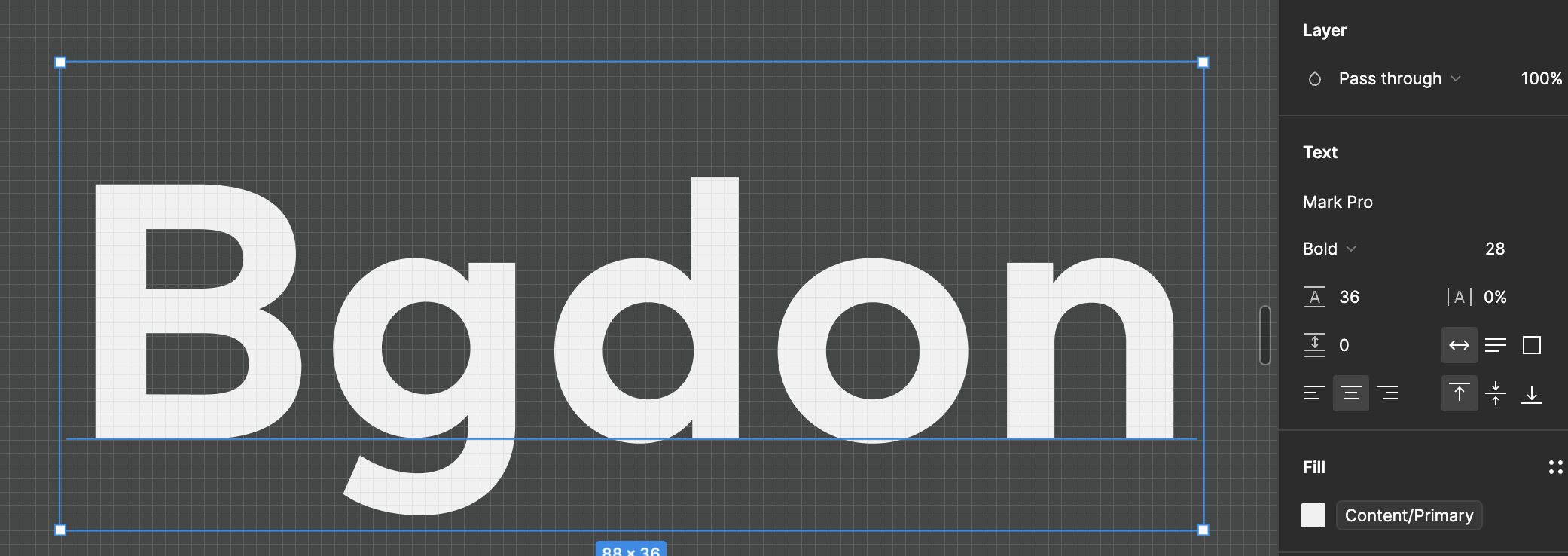

. Has anyone experienced something similar before
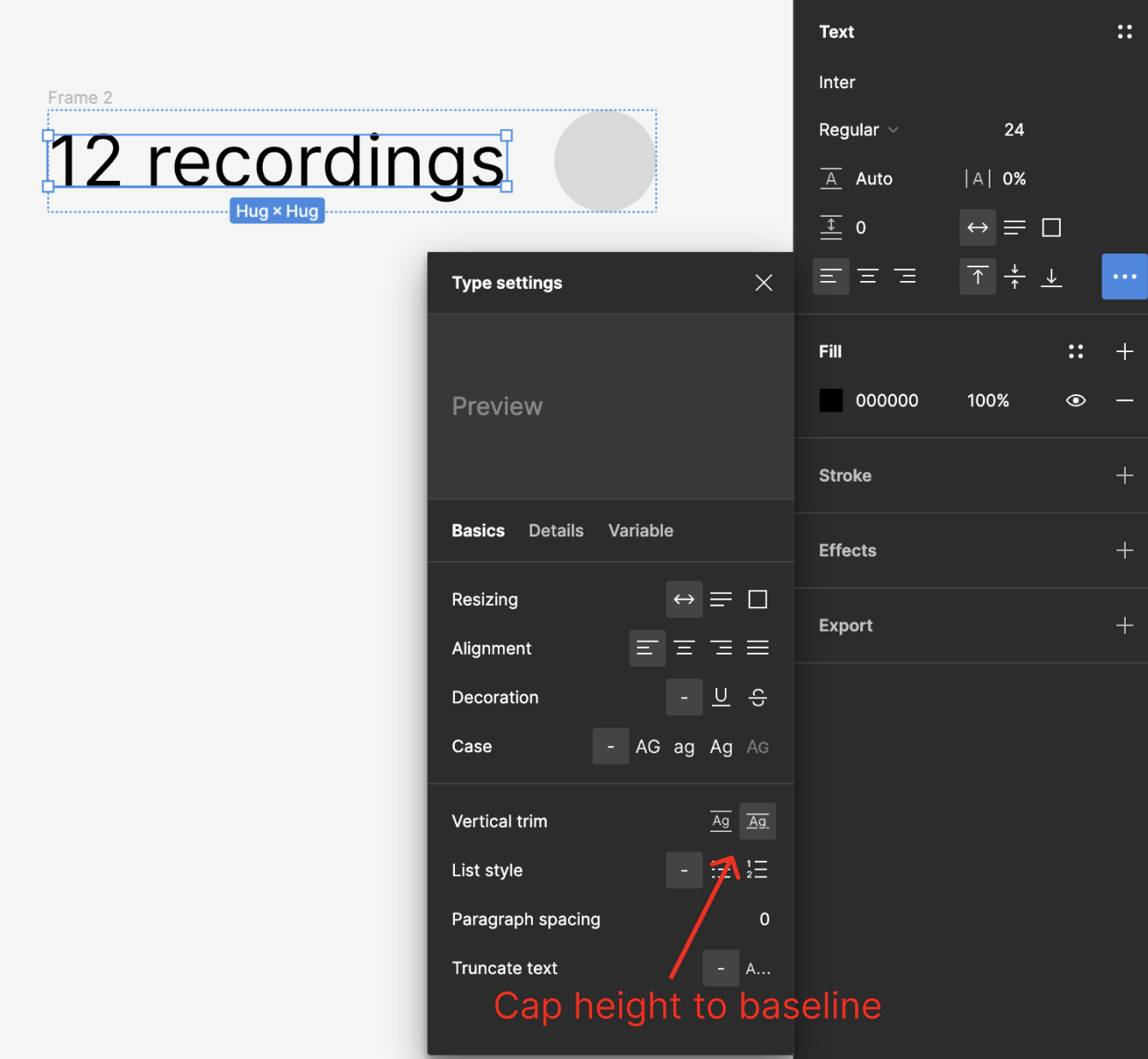
Best answer by Nate_G

You could try using “Vertical Trim” to cap the height to the baseline, to see if that helps.

This topic has been closed for replies.

3 replies

Umut_Aydin1
  • Author
  • New Participant
  • October 13, 2023

Here’s what the text looks like next to an icon… This has been doing my head in!


Nate_G
  • Power Member
  • Answer
  • October 13, 2023

You could try using “Vertical Trim” to cap the height to the baseline, to see if that helps.


Umut_Aydin1
  • Author
  • New Participant
  • November 1, 2023

I applied Auto height instead of a specific number it seems to fix it for now…
