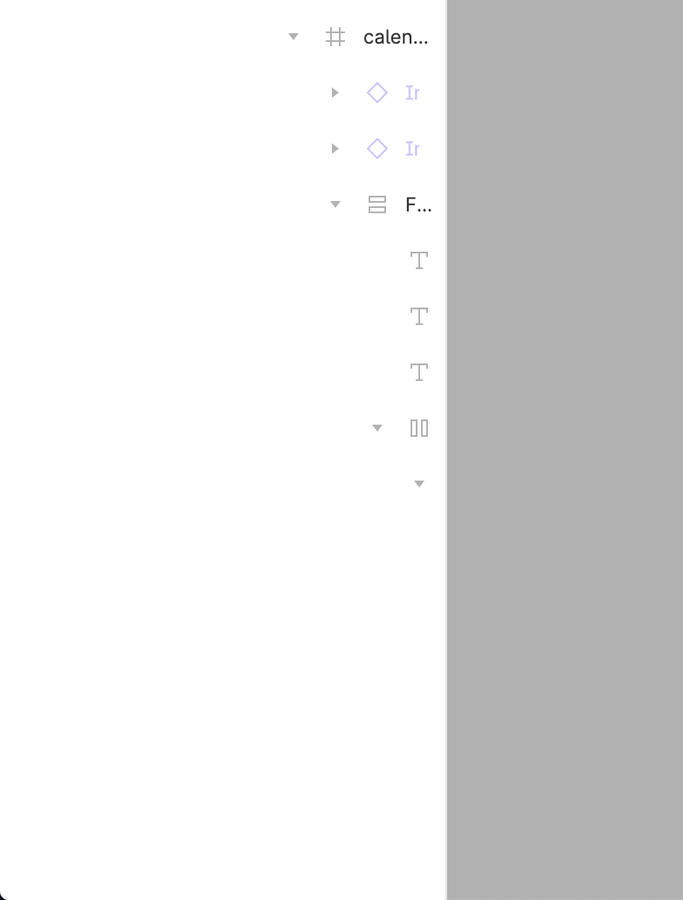
LAUNCHED: Horizontal scroll the layers panel

  • February 5, 2021
  • 310 replies
  • 20417 views

Show first post

310 replies

Neelesh_Jain

totally need this asap…plz put it on priority. this is so basic.


Dikamsiyochi_Udochi

Hi Figma, please… 🫠


Michael_Kalus

We run into that problem, too. Especially when you have a huge component library with multiple nested child-components.


Michael_Kalus

So I investigated into it and wrote a script that kind of solves the problem.

The script enables horizontal scrolling and makes the intents before each layer item way smaller. It does not remove the limits, but it gives you way more space to work.

Comparison

How To with Userscript:

How To in Figma App:

Note that you always have to copy and paste the script for each opened document and when you reopen Figma or reload any document.

  1. Open the dev tools in Figma with cmd+opt+i (on Mac)
  2. Switch to “Console” tab
  3. Copy and paste the following script into the command line input
  4. Hit return
(function () {
    'use strict';
 
    function minimizeSpaceInTree() {
        var elements = document.getElementsByClassName("object_row--indent--aWa0t");
        for (var i = 0; i < elements.length; i++) {
            elements[i].style.width = "4px";
        };

	    var caretElements = document.getElementsByClassName("object_row--expandCaret--LW0Oy");
        for (var i = 0; i < caretElements.length; i++) {
            caretElements[i].style.width = "16px";
        };

        var topLevelElements = document.querySelectorAll('.object_row--topLevel--SXq9o .object_row--indent--aWa0t');
        for (var i = 0; i < topLevelElements.length; i++) {
            topLevelElements[i].style.width = "16px";
        };

        var firstElements = document.querySelectorAll('.object_row--row--RUzis:not(.object_row--topLevel--SXq9o) .object_row--indents--jpaAQ .object_row--indent--aWa0t:first-child, .object_row--row--RUzis:not(.object_row--topLevel--SXq9o) .object_row--indents--jpaAQ .object_row--mask---4-dT:first-child');
        for (var i = 0; i < firstElements.length; i++) {
            firstElements[i].style.width = "16px";
        };

    }
    
    minimizeSpaceInTree()
 
    var targetNode = document.body;
    var config = {
        attributes: true,
        childList: true,
        subtree: true
    };
    function myFunction(mutationsList, observer) {
        // Loop through the list of mutations
        for (let mutation of mutationsList) {
          if (mutation.type === 'childList') {
            minimizeSpaceInTree();
            
          }
        }
      }
 
    const observer = new MutationObserver(myFunction);
 
    observer.observe(targetNode, config);
})();

christoffertun

This would be very useful. Same issue also happens sometimes when right clicking on styles in the styles panel too, like here:


aolko
  • May 4, 2023

Can you please convert it into a userscript?


Michael_Kalus

I’ve added the link to the userscript to my post. Please note: this is beyond anything I would call polished or finished. But it does the job. If I find some more time, I will investigate a little more.


Stan5
  • New Participant
  • May 5, 2023

Sadly the layer names remain ellipsed


Stan5
  • New Participant
  • May 5, 2023

As you can see by scrolling down they don’t necessarily implement stuff in the top 10.


djv
Figmate
  • Community Support
  • May 5, 2023

Hey @Stan5,

To be transparent, the top 10 may have priority overall, but features are spread across different teams (i.e Auto Layout, Prototyping, etc.)

This feature request may only have 389 Votes compared to others in the top 10, but we’re aware of how big a pain point this is and it’s definitely on our radar for improvement!


Tyran_Van_Zyl

Why haven’t more people loved this post? it’s AMAZING! Exactly what the layer panel needs!


Alvaro3
  • May 10, 2023

On small screens (and not so small), when the layer tree starts growing I can’t scroll horizontally to be able to read the whole name of a layer or even rename it. This is a nightmare in big projects, please add horizontal scroll.

See screen recording (GIF)


Frzo
  • May 11, 2023

This saved my day! Thanks a lot!


Hugo_Nogueira

Very underrated issue / bug in Figma. Super annoying to resize the layers panel all the time. =/


Marvin_Nisbett

4K Screen and still stuck with 240px Panel 😬


Yes! this is so needed. I can’t believe it’s 2023 and this is still an issue


  • June 21, 2023

At least a Shift + mouse wheel scroll would be enough for a quick fix, even if it doesn’t center automatically to your layer name.


Wawa
  • New Participant
  • July 4, 2023

Would really love this! Such a small change but big help for navigation…


  • July 10, 2023

Hello Figma,

Could you please enable the horizontal scroll bar in left side layer panel section. Otherwise if i expand manually the layer panel, most of the area its occupied by layer panel section and getting smaller area in my workspace. I can’t able to see the layer name fully and if hover on that showing the visible and lock icon within smaller area.

Thanks,
Vijayan M


Walt2
  • July 15, 2023

Why haven’t they fixed this yet?


Connor_Hansen
  • New Participant
  • July 17, 2023

Any updates here? Is there another ticket tracking this issue??


Scott_Ehly1
  • New Participant
  • July 21, 2023

Please, oh please!


atvnbi
  • July 23, 2023

I was about to post the same feature request. Need this badly.
See ↓


atvnbi
  • July 24, 2023

I’ve been tinkering with the layer panel for a while now. I have a few observations and suggestions.

Observations

  1. Organizing files. Users have often used blank pages as an hack to create a structure for organizing their files in the layers panel e.g. title and dividers.
  2. Horizontal scroll bar. Item names sometimes expand beyond the width of the layers panel. Although, the width can be expanded but that - expanding and reducing every now and then - can be quite stressful for users with smaller screen sizes.

Suggestions

  1. Organizing files. Include features to add title and dividers in addition to pages.
  2. Horizontal scroll bar. Include an horizontal scroll at the bottom of the layers panel.

Let me know what you think in the comment section.


Hi, Does anyone else think that nested layers take up way too much width in the sidebar?

Problem
When working on laptop with limited screen space, nested layers start getting unusable once they go past 4-5 levels deep. You either expand the side panel and lose ‘design’ space or use ‘Interface scale’ = reduced UI readability IMO.

Suggested solution > Compact Layers Mode
Provide an option to disable the ‘margin-right: 8px’ on the nested indents.

Video example
Disabling 1x CSS element gives you a lot more room: