

Hide rows/columns in Grid layout when content is hidden/removed
Hi, it would be great if we could hide/remove rows/columns if all the content inside the row/column is hidden/deleted. That is, the grid’s dimensions get adjusted dynamically based on the content instead of being fixed always.
For example:
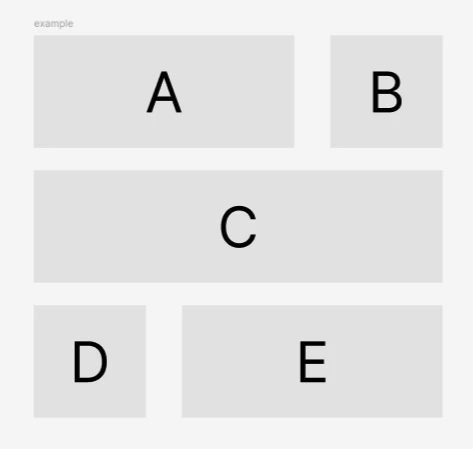
In this 3x3 grid, if I delete/hide “C”, then the second row should be deleted/hidden such that the grid looks like a 2x3 grid instead. Like this:
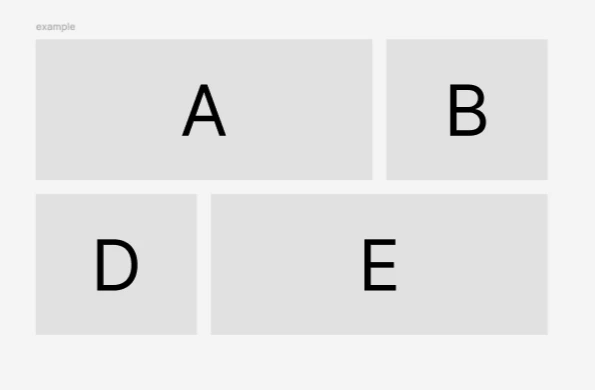
Instead, it currently looks like this:
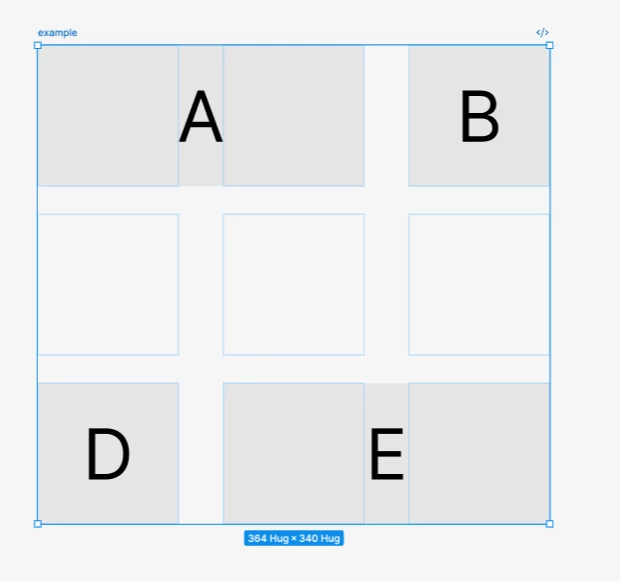
The second row does not get automatically hidden/deleted since the Grid dimensions are fixed. Would be nice if we had dynamic dimensions based on the content.
I know that this can be achieved by creating a regular vertical auto-layout with nested grid auto-layouts but that feels more like a workaround. (That’s how I created the “how it should be” example above). I am currently working on a complex form using Grids and I am not able to dynamically show/hide fields with a Grid auto-layout. I have to now create a grid of form-fields (even if there’s only 1 element in it) and then stack them in a regular vertical auto-layout to achieve this effect.
Please add this feature in the future if possible. Prevents us from creating additional auto-layout frames.