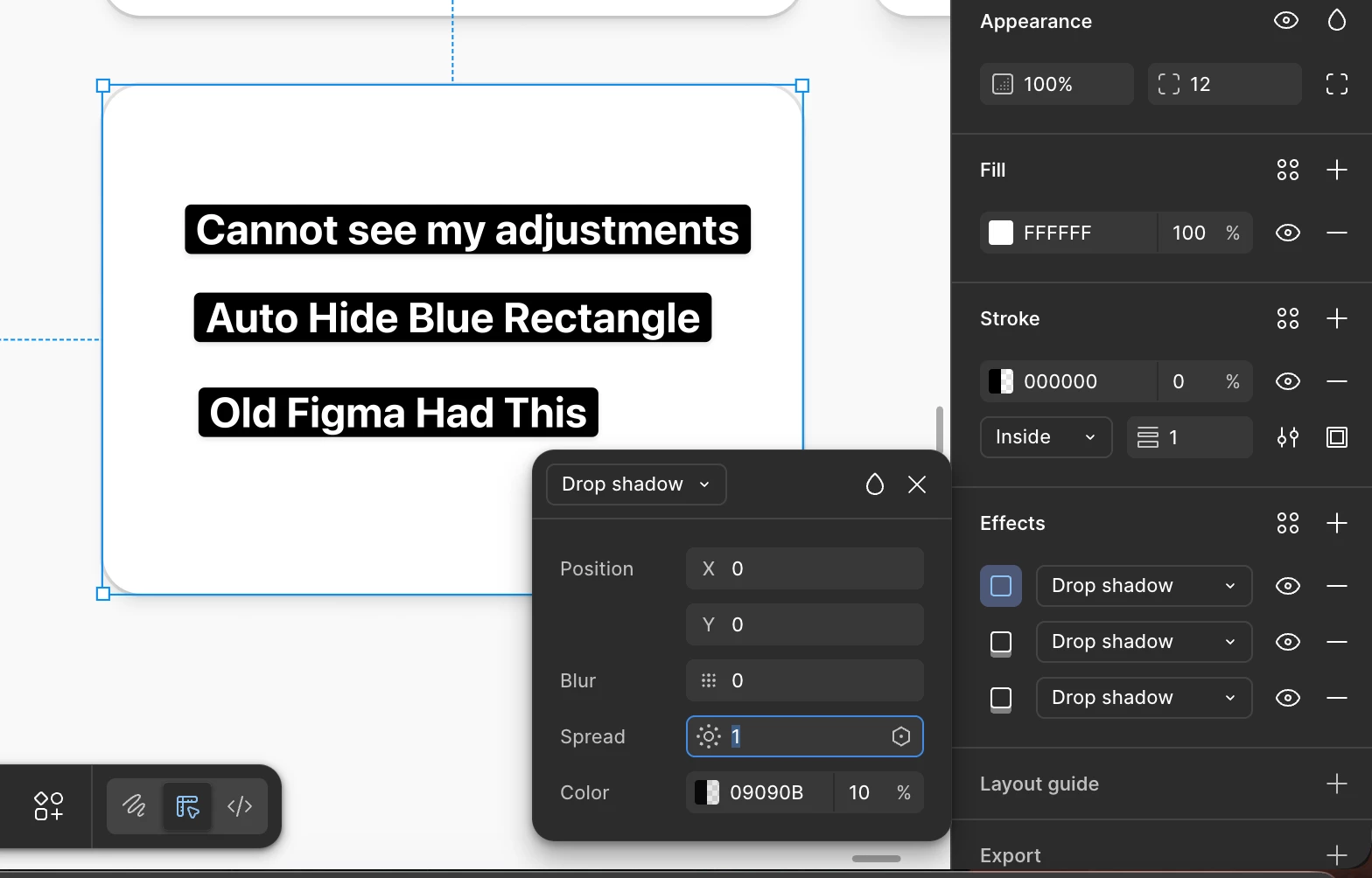
🥹 The "Small" UI Change That Made Designers Blind. Why is Figma obscuring my design decisions? Bring Back AUTO-HIDE
Hi Team,
I am writing to implore you to restore a small but critical interaction detail that was removed in a previous update.
The Issue: Previously, when a user adjusted a property via a slider (specifically Drop Shadows, Strokes, or Corner Radius), the blue selection bounding box would temporarily disappear. This allowed us to see the exact effect of the change in real-time.
Currently, the blue selection outline remains visible while adjusting these properties. Because the outline sits directly on top of the edge of the element, it physically obstructs the pixels we are trying to style.
Why this is critical:
-
We are designing blind: It is impossible to fine-tune a subtle shadow or a 1px border when a 2px blue line is covering it.
-
Broken Workflow: What used to be a fluid process is now a friction loop. To see what I’ve actually designed, I have to: Adjust -> Click away to deselect -> Look -> Reselect -> Adjust again.
This loss of immediate visual feedback hurts the craft of pixel-perfect design. It feels like a regression that prioritizes the UI of the tool over the UI of the work.
The Ask: Please re-introduce the feature where the selection rectangle automatically hides while a user is actively interacting with effect sliders/inputs.
We need to see what we are designing, not just what we have selected.