

Text property on component doesn't allow to be overwritten
I created a card component which consists of header text, subhead text, and button or a text.
Then combine the card wit ha little nav item to have something like a carousel a person can navigate to choose a game. images of all state below.


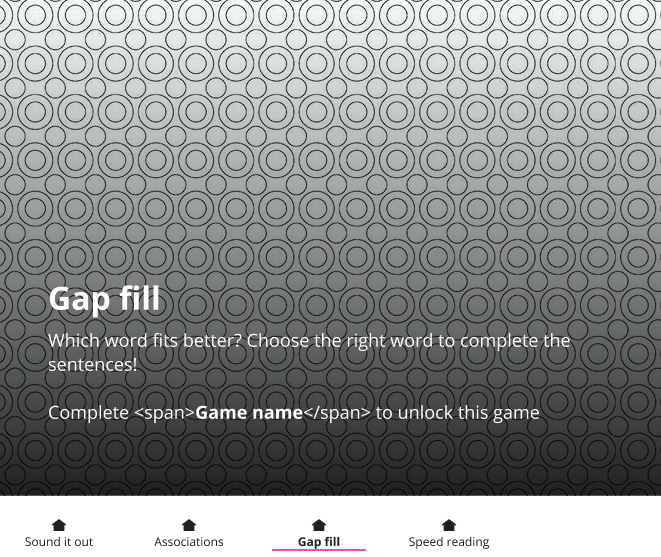

so the way it is built:
card component below 3 nav item components. and prototype allow to navigate between 4 states suing the nav bar under the card.
1st choice has header, subhead and text “game completed” - a text property and boolean property
2nd choice has header, subhead and text button - a boolean property
3rd choice has header, subhead and text “complete previous game to unlock” - a text property and boolean property
4th choice has header, subhead and text “complete previous game to unlock” - a text property and boolean property.
but… when I go to preview the prototype and I click around the text property ‘complete previous game to unlock’ keeps going back to default status so that I dont se ‘game completed’ anymore the n I go back to 1st choice, instead it shows “complete...to unlock”
btw. header, subhead are also set as text property and are different across different states and they don’t go back to default component settings, yet this one piece of text keeps defaulting to what's in the main component.
Can someone help or advice me what is going on there?
Thanks