

Can't Delete Webhooks via API - Getting 403
Hey folks, I’m having an issue where I can create webhooks via an OAuth app, but deleting them always returns 403 "Request denied". Same token, same permissions, same everything – deletion just won't work.
The premise is the following:
A user from my app adds their Figma team ID manually and then registers a team-level webhook for that team using my OAuth app.
My setup
- OAuth app with webhooks:read and webhooks:write properly configured
- I'm a team admin of the team I’m trying to register a team-level webhook on.
- Using OAuth 2.0 with a valid token
- The team I’m testing with uses a Pro plan
What works
- Creating webhooks
- Listing all webhooks for my team
What doesn’t work
- Deleting any webhook I get a 403
- Getting a specific webhook by ID via curl - I get a 403 there as well, oddly enough
Even weirder: I can see all registered webhooks when I list them, but I can't touch any individual one.
(I actually need just 1 but I’ve racked them up when developing and testing)
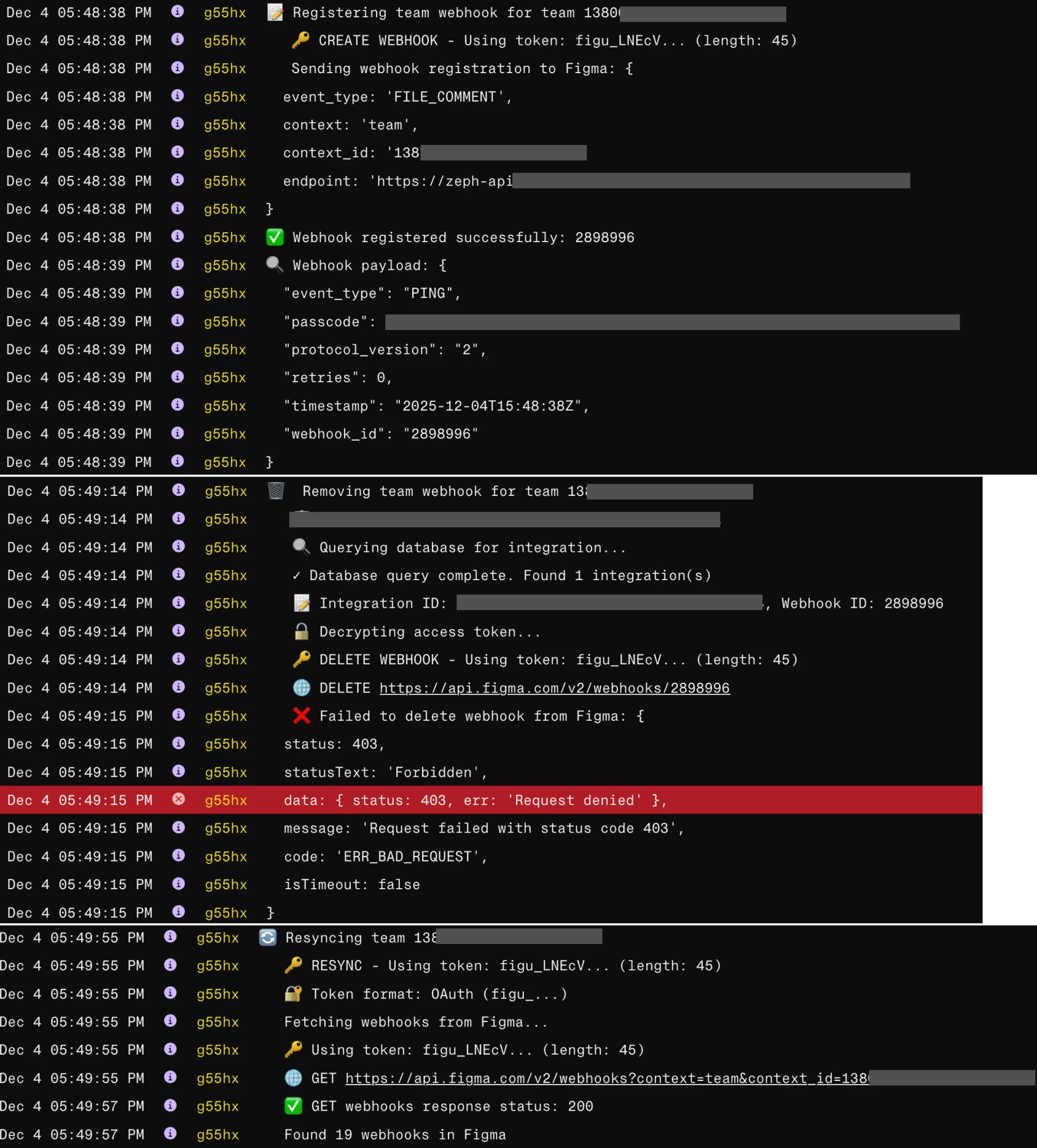
I’ve created some extensive logging in order to hopefully illustrate the issue better. My main hypothesis was that there was something wrong with my OAuth integration and it was using a different token, but as you can see from the logs that is not the case.
The token is valid and upon obtaining it (when I add the team in my app) I immediately use it to register a webhook – this part works, however when I immediately try to delete it afterwards I get the 403.
Is there some hidden ownership model where webhooks are tied to a specific OAuth session/token, even if it's the same user and app? Because that's the only thing that makes sense to me at this point.
---
Now I've got 18 orphaned webhooks, created when trying to test and fix this issue that I can't delete programmatically. Eventually I'll hit the 20 webhook limit per team, and I'll be stuck. My apps ignores the webhooks I don’t need but this is clearly not an ideal scenario – it is a strain on Figma’s resources and I wan’t my app to be able to gracefully remove the integration.
What am I missing here? Any help or insights would be super appreciated!