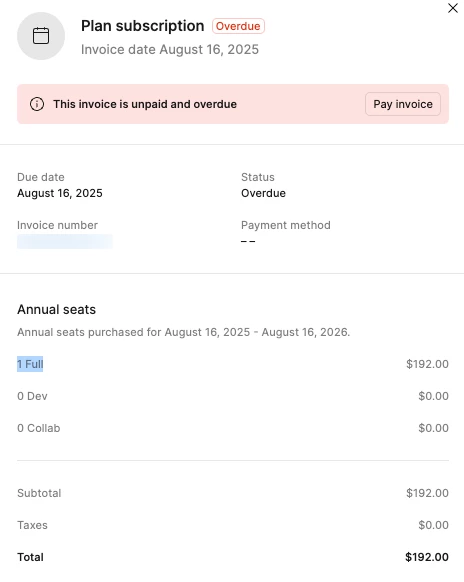
Being charged for 2 subscriptions under one org — anyone experienced the same thing?
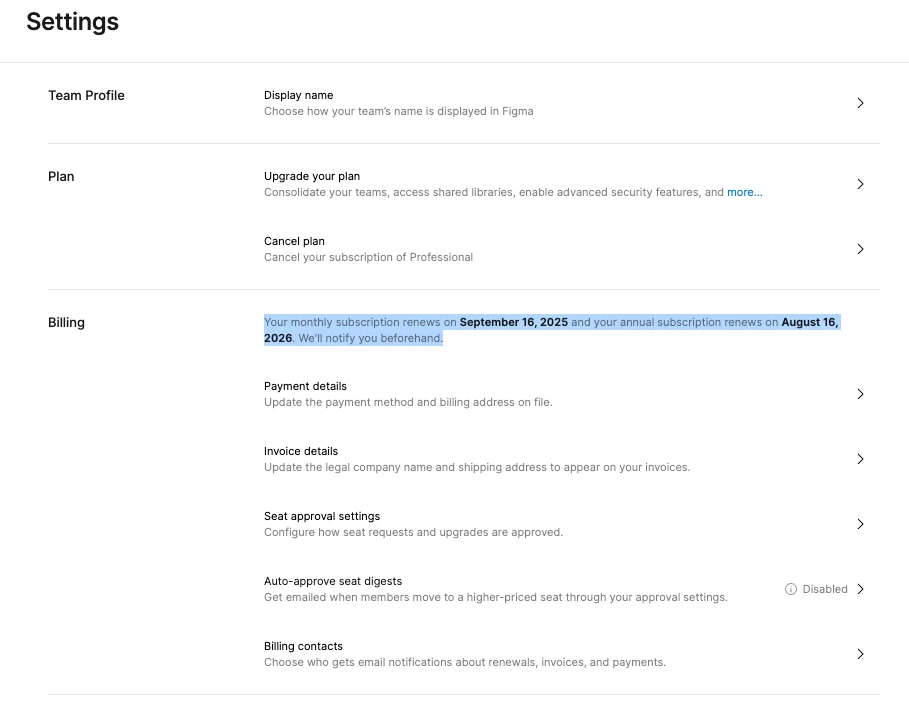
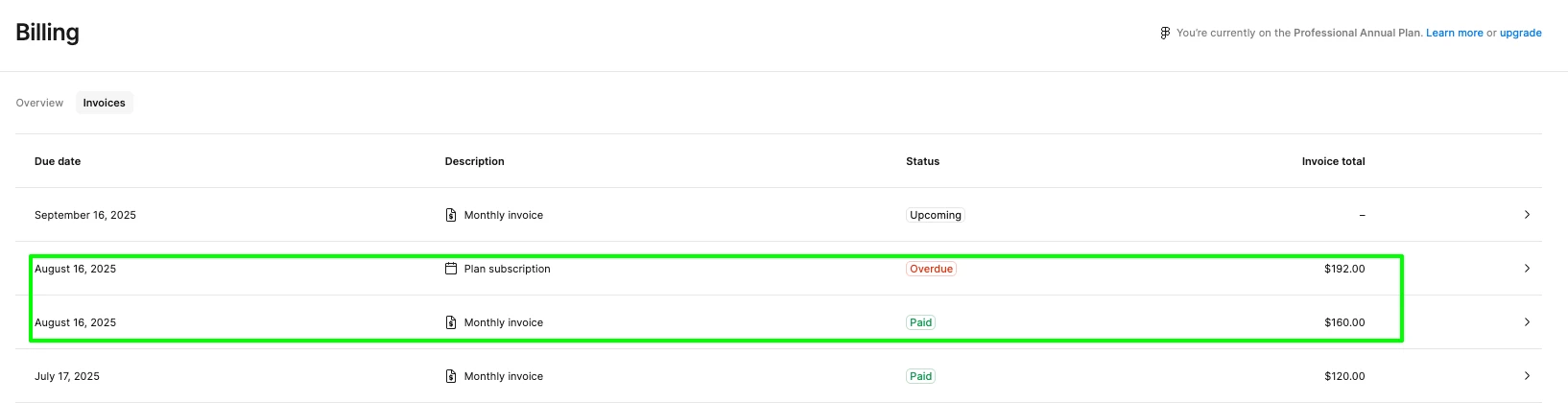
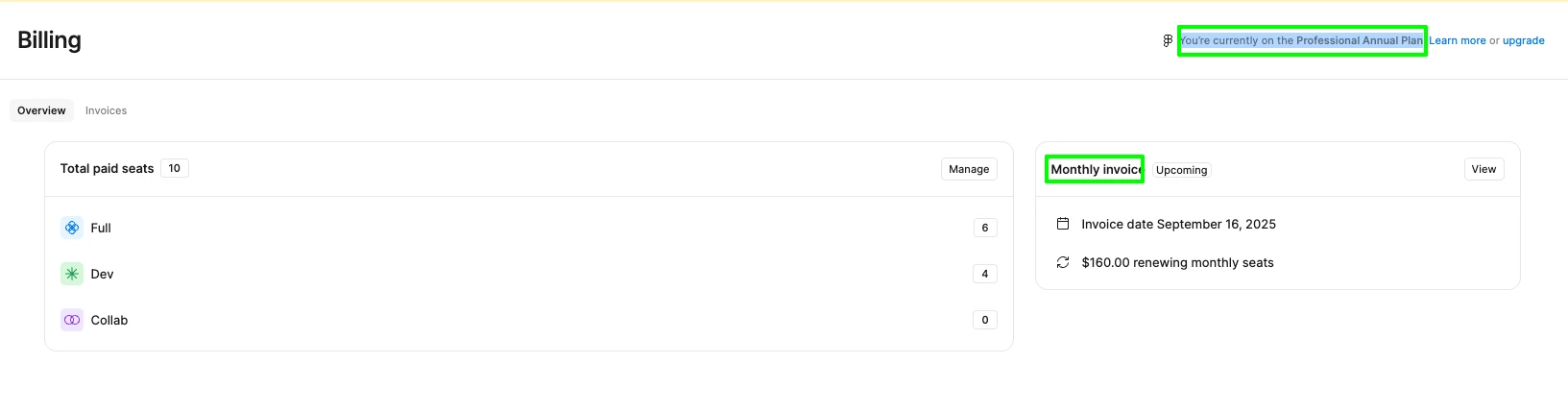
Our team recently discovered that we’re being billed for two Professional subscriptions — one annual and one monthly. We receive two separate invoices, but in Settings > Plan we only see a single subscription available to cancel.
I’ve already contacted support (Request #1475232), but so far the responses haven’t addressed my questions. I keep being told to simply cancel the plan, without clarification on the risks or how we ended up in this situation.
Here are the issues we urgently need answers to:
-
How did we end up with two overlapping subscriptions (annual + monthly) under the same team, instead of being prompted to just add seats to the existing plan?
-
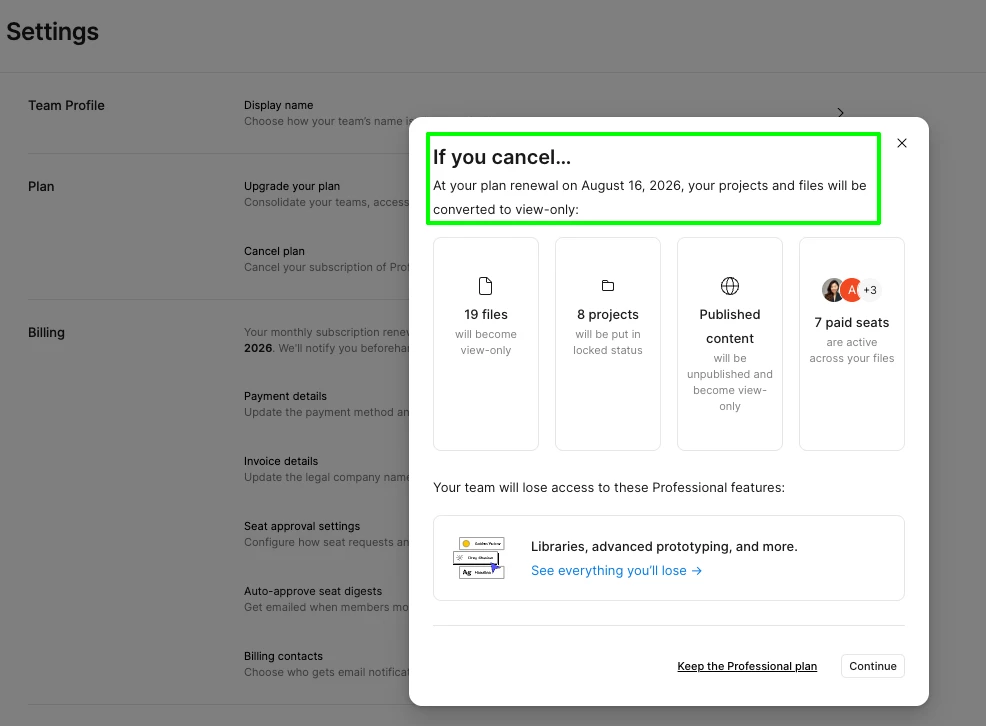
If I click cancel, there’s no option to choose which plan. How can we cancel just the annual plan without losing access to files (since the monthly is already paid through Sept 16)?
-
If we cancel from the Settings page, will it terminate both subscriptions or only one?
-
If we re-subscribe afterward, will we be enrolled in a single plan (as intended) instead of duplicating again?
-
Can I just remove the member who seems to be on the annual plan and re-add them under the monthly plan — and will that automatically end the annual subscription?
This is urgent — our team is actively working on files, and we cannot risk losing access or being downgraded to read-only.
Has anyone else run into duplicate subscriptions like this? Any advice or escalation path would be greatly appreciated.