
May 8, 2024 9:18 PM UTC
Question

Tap to change component back to default state?
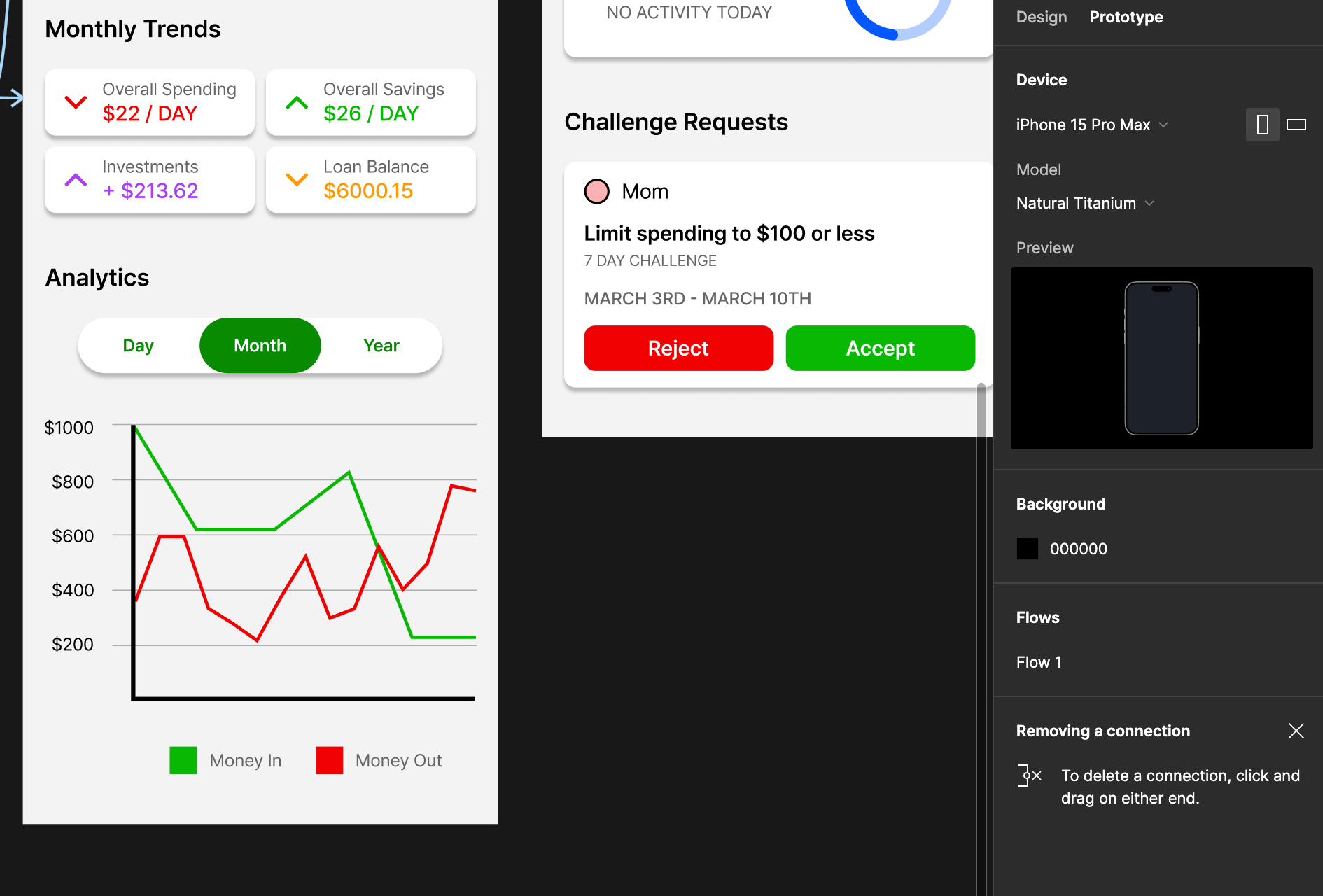
I have a graph where the data displayed can be changed by tapping Day, Month, or Year, and I have the default view as Month. I’m able to tap Day and Year to change to those respective views, however for some reason I’m not able to tap Month to return to the Month view. I have Month set to change to the Month view on tap, and I’m not sure what I’m doing wrong.

This topic has been closed for replies.

7 replies

Vishal_Ramawat
May 9, 2024 2:52 AM UTC

Can you share the interactions for each Day, Month and Year buttons?

May 9, 2024 3:05 AM UTC

They’re each set to “Change to” the respective variant of the graph and button component on tap. Change to Day and Change to Year both correctly change the green highlight to Day or Year and change the graph. I have Month set to Change to the Month variant, but it doesn’t appear as clickable on the prototype.

Vishal_Ramawat
May 9, 2024 3:09 AM UTC

Is the graph Variant name same as in the interaction. They are case sensitive, so if you write month instead of Month, it wont work. It might be difficult without the screenshot, or recording of the issue, as there could be an oversight. Please see if its possible for you to share any visuals.

May 9, 2024 3:22 AM UTC


The graph and button variants are just Day, Month, and Year.

Vishal_Ramawat
May 9, 2024 3:47 AM UTC

I tried recreating the tabs and its working fine with me.


Is your graph part of the tabs or is separate component?

May 9, 2024 3:41 PM UTC

My graphs are part of the tabs as one component. Could this be causing the issue? (i.e. they should be separate and I should be using a conditional statement to change the graph upon changing the tabs).

Vishal_Ramawat
May 10, 2024 2:46 AM UTC

Shouldn’t be an issue.
Working fine for me. May be there is a minute error somewhere. May be you can share a Figma file by creating a new one and copying just this flow would help.