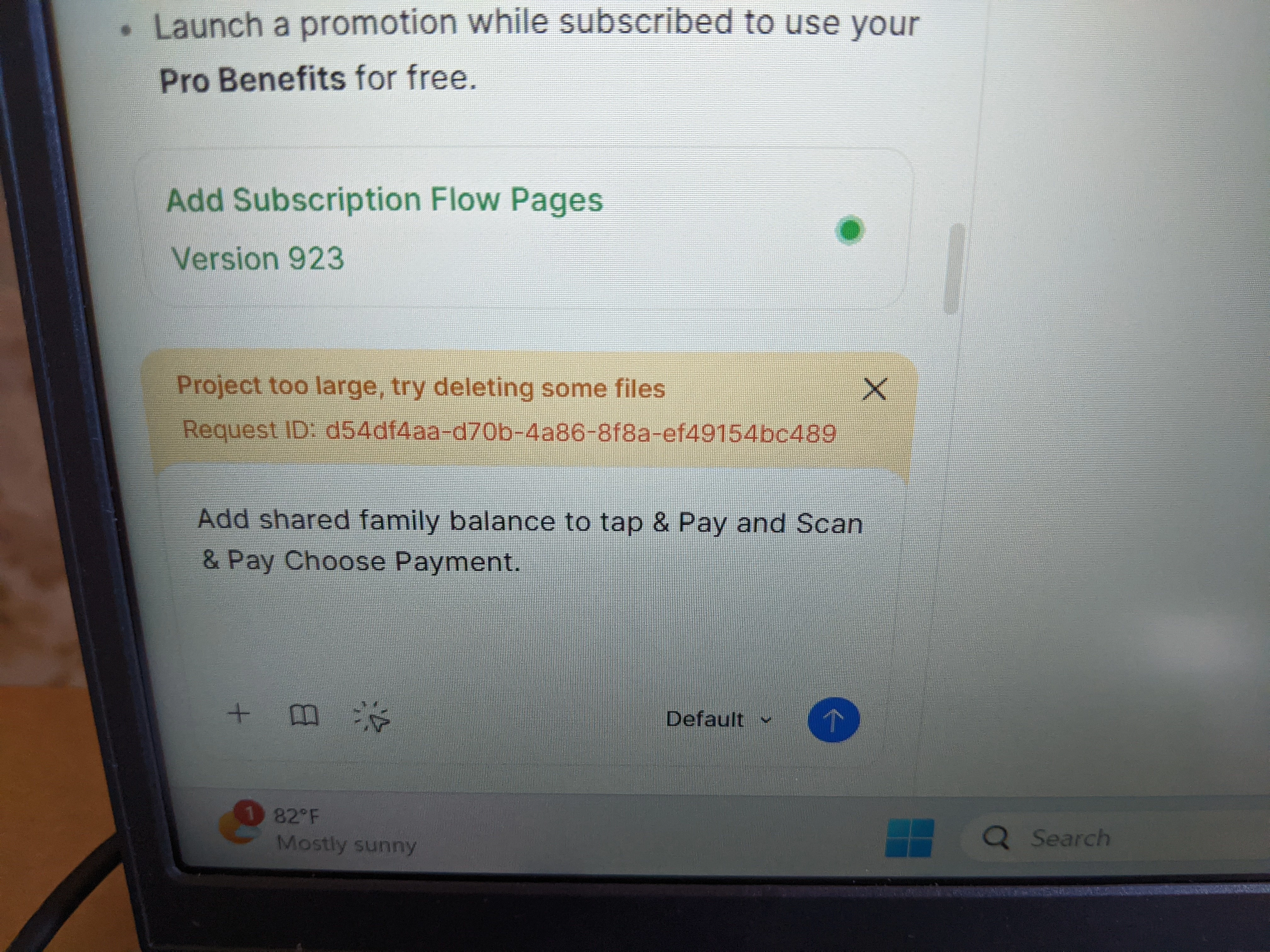
Hi everyone, if anyone could help with this ,would be appreciated. I got this error on my figma make AI project.
Project too large, try deleting some files.
I should note, I had this issue a few times before, but by just prompting something different on another part of the app, it went away and things resumed like normal.
Now this has stopped prompting altogether; it won't add anything else even though the app is for the file that's too large. I can no longer add anything.
Figma support gave me these 3 options in an email to fix it, but I'm not sure which to pick.
1. Connecting your Make file to a Supabase database and using the AI agent to offload larger assets (like SVGs), duplicated elements, or placeholder content.
2. Working with the AI to refactor and trim down unnecessary data while keeping the project stable.
3. Pushing your code to GitHub or downloading it locally and continuing development in an IDE for more direct control.
I'm not a coding person, mainly design, and I have no developers to look over this at this point.
I tried both ChatGPT and Gemini; the answer was to create new files and cut and paste parts of the file to another file that you create as a way to reduce file size.
As I follow, things seem to get worse as you begin to cut and paste things into newly created files, which just builds errors and never gets rid of the ⚠️ from any of my 2 files with the warning.
Thankfully, I have about 5 duplicates all at the same point, so that didn't bother me as much while testing the idea.
If anyone has had any luck 🤞🏽, or found the best way to approach this...
Maybe Figma could make the file limits 2-5 MB 😅?
Warning on App.tsx ⚠️ CharityHubSubpage.tsx ⚠️
Any suggestions would be great... 📝?