Navbar doesn't stretch
Hello everyone,
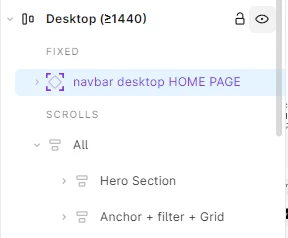
I'm trying to create a sticky navbar for my portfolio. I have a main frame with Auto layout set to a vertical direction. I've placed my navbar frame inside this main frame and set its position to Absolute position.
I also went to the Prototype tab and enabled Fixed position when scrolling for the navbar.
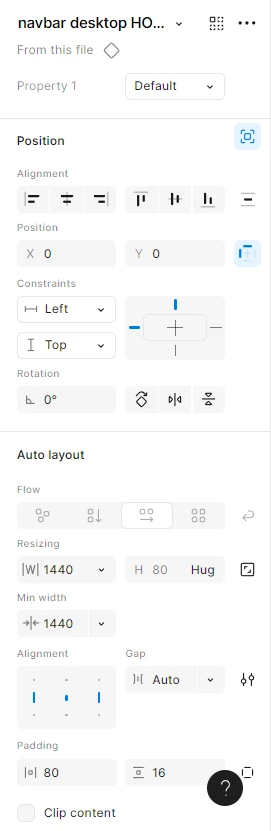
The problem is that the navbar sticks to the top-left corner, but it does not stretch to the full width of the page. It's leaving a blank space on the right side.
I know that Absolute position takes a layer out of the Auto layout flow, and I've tried to set the navbar's constraints to Left & Right, but it's still not stretching as expected.
My main frame is 1440px
wide, and I need the navbar to always fill that width while remaining sticky.
Has anyone encountered this issue or found a working solution? Any help would be appreciated!