

Help making Jira MCP save images on filesystem
Hi everyone,
I’m experimenting with running the Jira MCP server locally in VS Code alongside GitHub Copilot. My goal is to download a design image from Jira and use it with another tool to compare it against a screenshot of the built feature.
Here’s the issue:
-
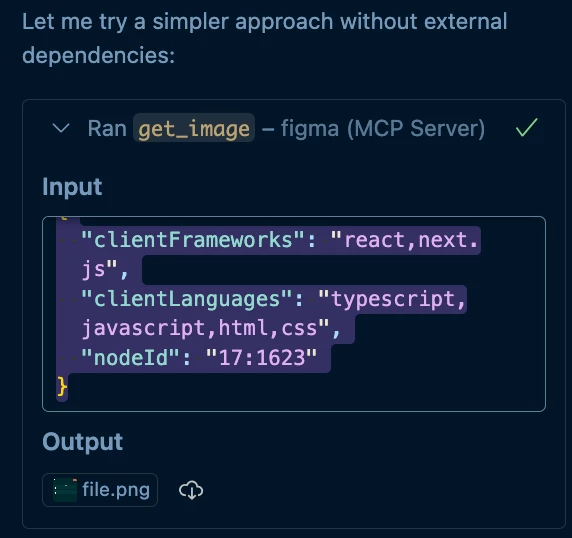
My agent seems able to fetch the image (I can see it being used in the chat context), but I can’t get it to actually save the file locally.
-
With Playwright MCP, I can easily take a screenshot and save it to disk, so I know saving works in my setup.
What I’ve tried so far:
-
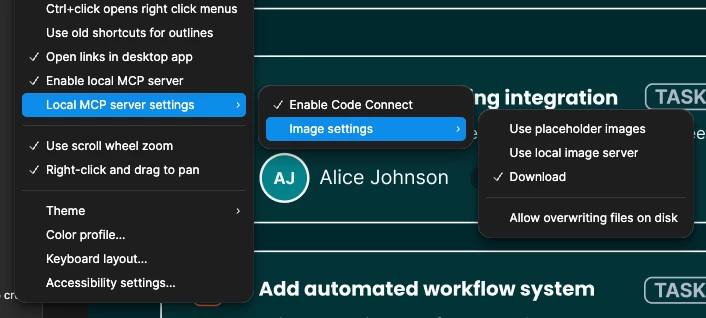
Following all the available configuration steps.
-
Adjusting the prompts to explicitly ask Copilot to save the file.
-
Testing with Claude Sonnet 2.5, Gemini 2.5 Pro, and GPT-4.1 inside Copilot (same results).
Has anyone managed to do something similar: downloading/saving Jira design images via MCP with Copilot?
What options or workarounds should I explore?
Thanks in advance!