

Solved
Changing one component by interacting with another component
Hello, I am new to Figma, just a beginner in learning about the variables and the interactions. I’m designing an interactive map mobile application, in which when I click on the location tags displayed on the map it will show the respective information of that tag on another component.
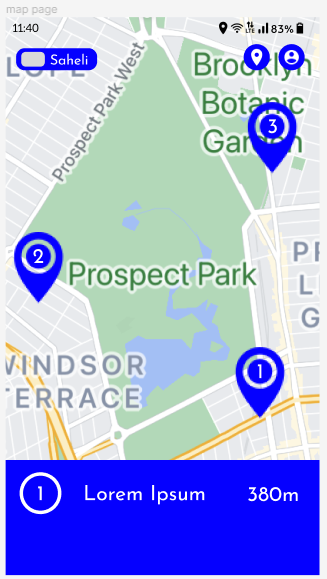
As shown in the image, if I click on the ‘tag 1’ it should display its information on the bottom blue section likewise for tag 2 and tag 3.
Please if anyone can tell me the way to do this, I would greatly appreciate it.