
Solved

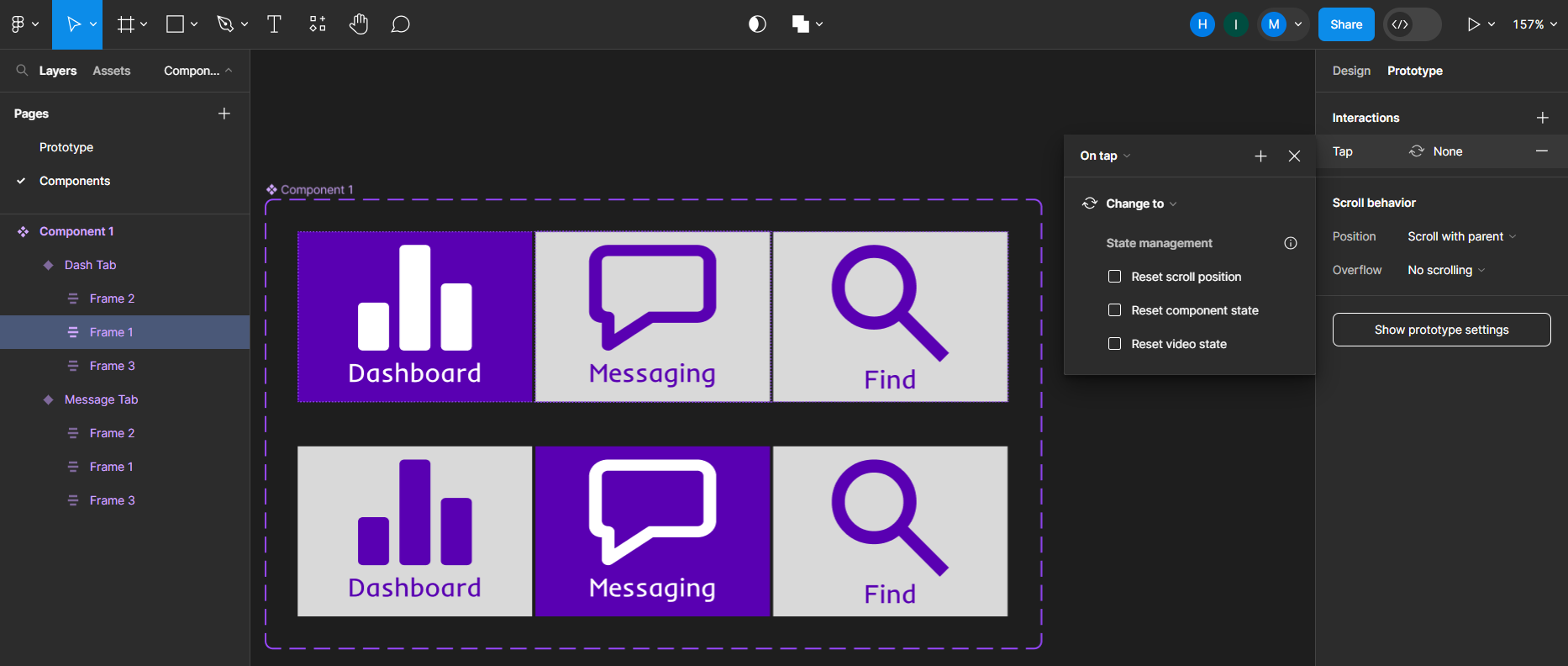
"Change to" interaction provides no options

  • November 27, 2023
  • 2 replies
  • 669 views


I am trying to make a component for a bottom navigation bar, but when I attempt to prototype any of the tabs and select the “Change to” interaction, there is simply no dropdown to select a variant of the component to change to. I’ve provided a screenshot below. This is a bit time sensitive, so help would be greatly appreciated.
Best answer by Nate_G

That is strange 🤔.

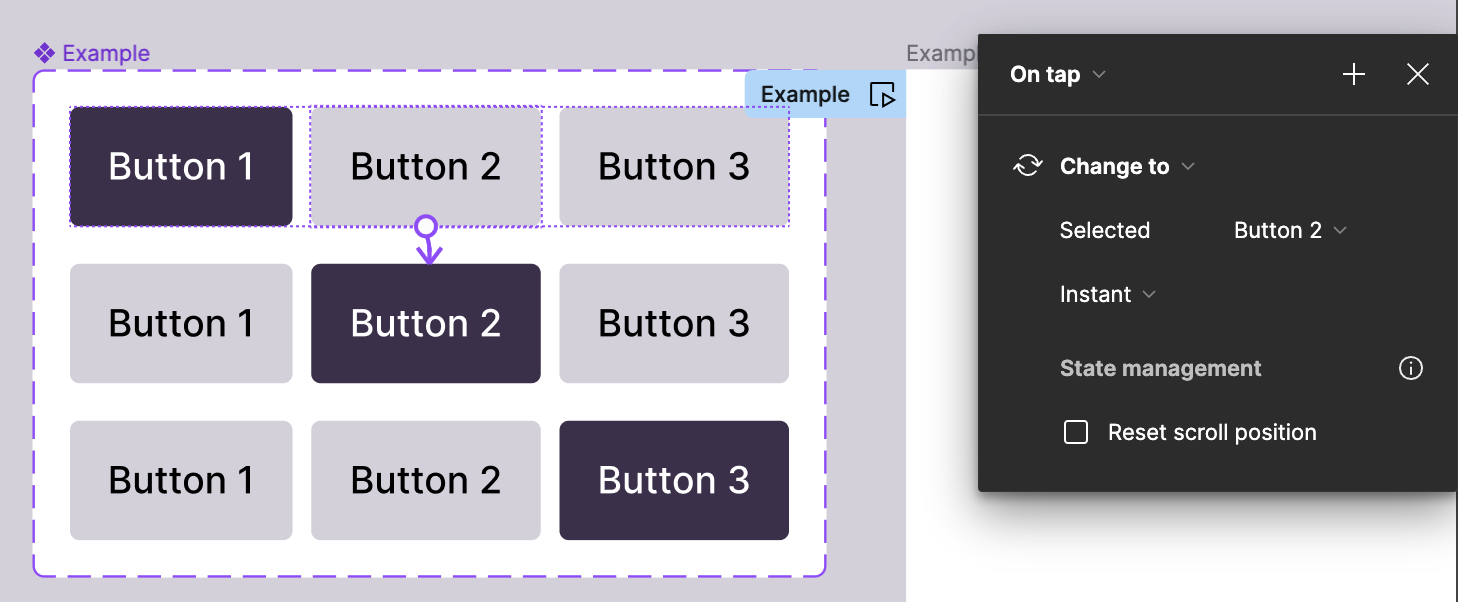
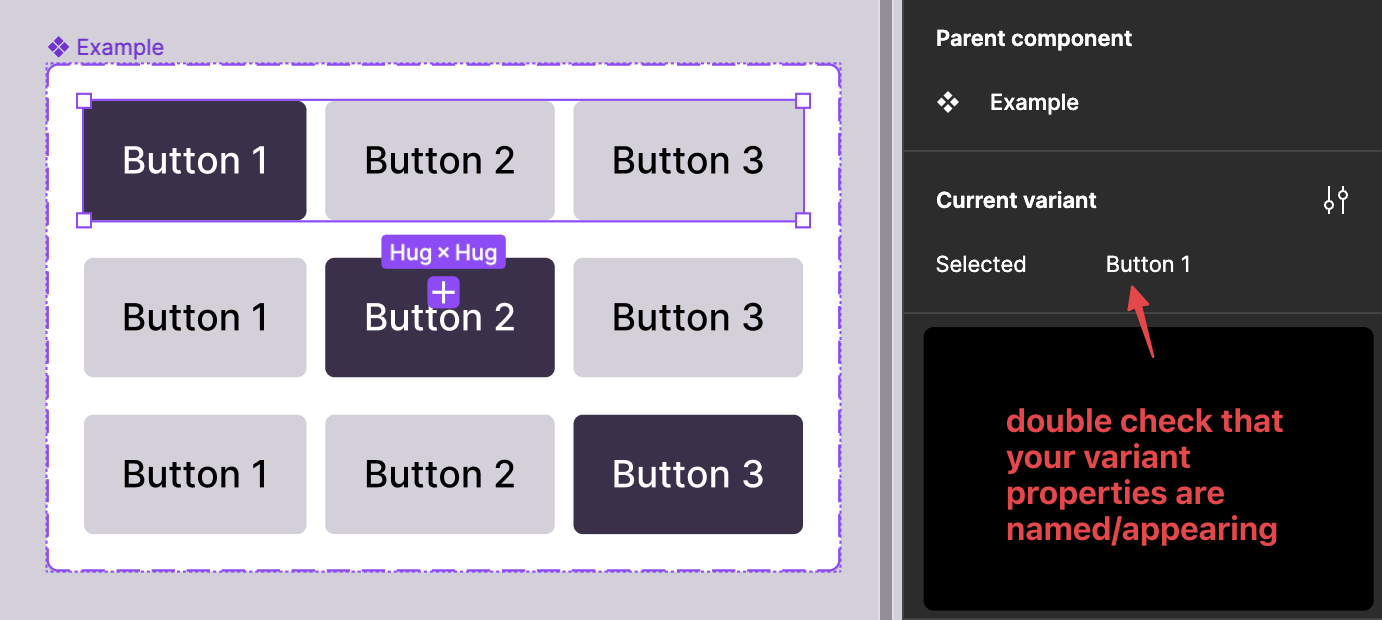
I put together a quick example, similar to what you are showing, where I was able to access “change to”. So when you duplicate the file to your drafts, you can see if the “change to” shows up for you. If not, it could be a bug for you.

Get Example File

This topic has been closed for replies.

2 replies

Nate_G
  • Power Member
  • Answer
  • November 27, 2023

That is strange 🤔.

I put together a quick example, similar to what you are showing, where I was able to access “change to”. So when you duplicate the file to your drafts, you can see if the “change to” shows up for you. If not, it could be a bug for you.

Get Example File


Okay, yeah. Something was janky about my variant names and Figma was saying they were invalid. I reconstructed the component from scratch, making sure to name the variants right away, and it works now. No idea how that happened in the first place, but thank you for your help!