

Solved

Apply "change to" on "Click" while "Hovering" don't work correctly

  • December 12, 2023
  • 2 replies
  • 376 views

KevinG38

In my case, I have a dropdown component with an arrow (also componant) which notify the “open state”.

Each dropdown’s items have a hover’s state.
In prototype mode, I want to click on item (close), which is on hover in fact, and changes to item (open). All states of my item change well but not my arrow.

When I delete the variant interaction “Hover”, this time my arrow also change.

Anyone as an idea ?

Figma – 12 Dec 23

Best answer by y_toku

Hi there,

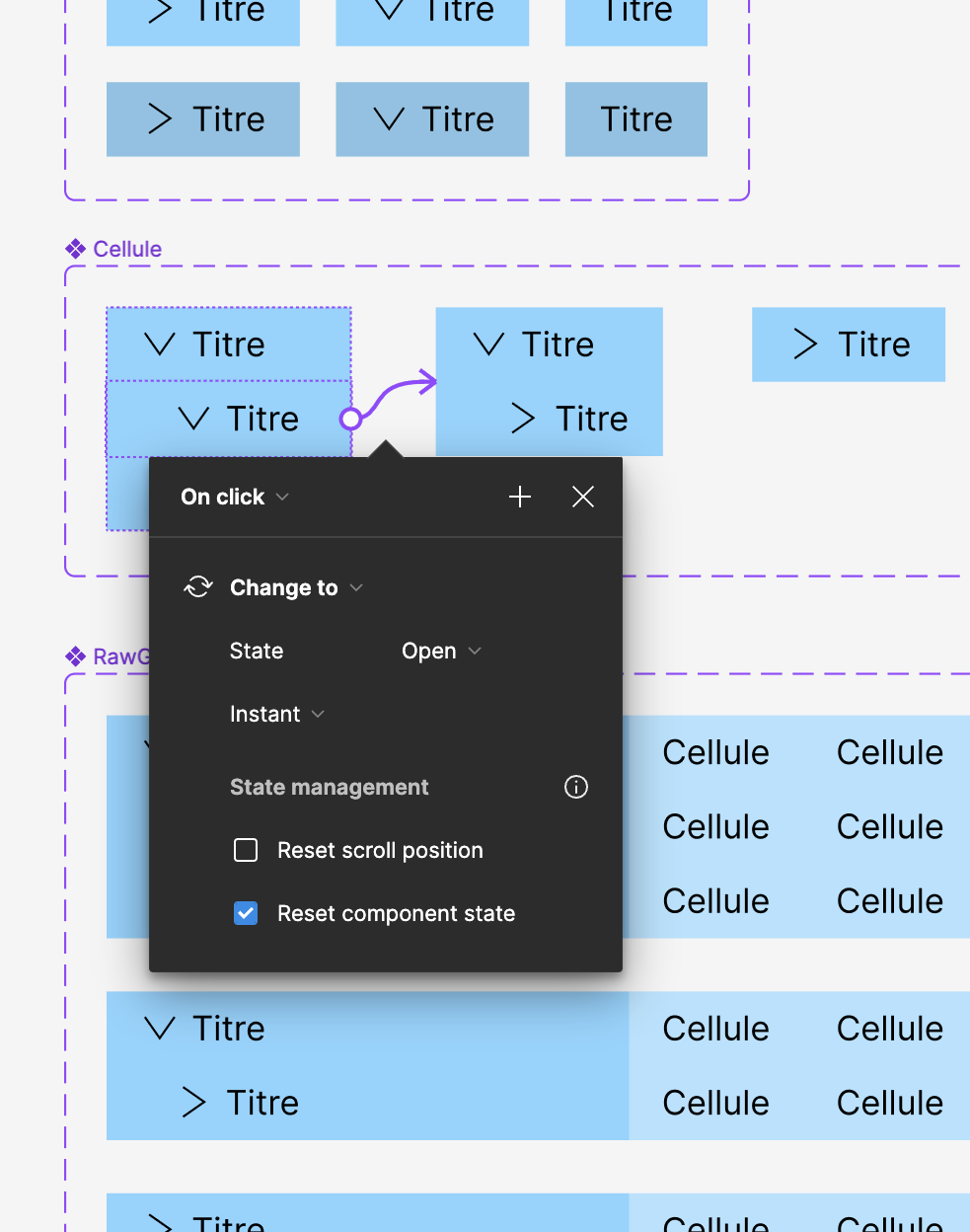
Thanks for reaching out! If I understand correctly, when I check the Reset component state option, it seems to be working. I’ve attached the screenshot and recording video. Please let me know if I miss something.


I hope these help!

Thanks,
Toku

This topic has been closed for replies.

2 replies

y_toku
Figmate
  • Community Support
  • Answer
  • December 13, 2023

Hi there,

Thanks for reaching out! If I understand correctly, when I check the Reset component state option, it seems to be working. I’ve attached the screenshot and recording video. Please let me know if I miss something.


I hope these help!

Thanks,
Toku


KevinG38
  • Author
  • December 14, 2023

Oh Great ! Thanks for the tips, I didn’t know this.
It’s exactly what I’m looking for.
