
July 23, 2023
Solved

Am not able to add a floating fab icon on the app I made following Figma for beginners video

  • July 23, 2023
  • 2 replies
  • 714 views

Wanted to add a floating Icon on this page. Because of the auto layout the icon gets shifted to the left side of the page. Want to position this on right bottom corner. Can someone help?
This topic has been closed for replies.
Best answer by AlicePackard

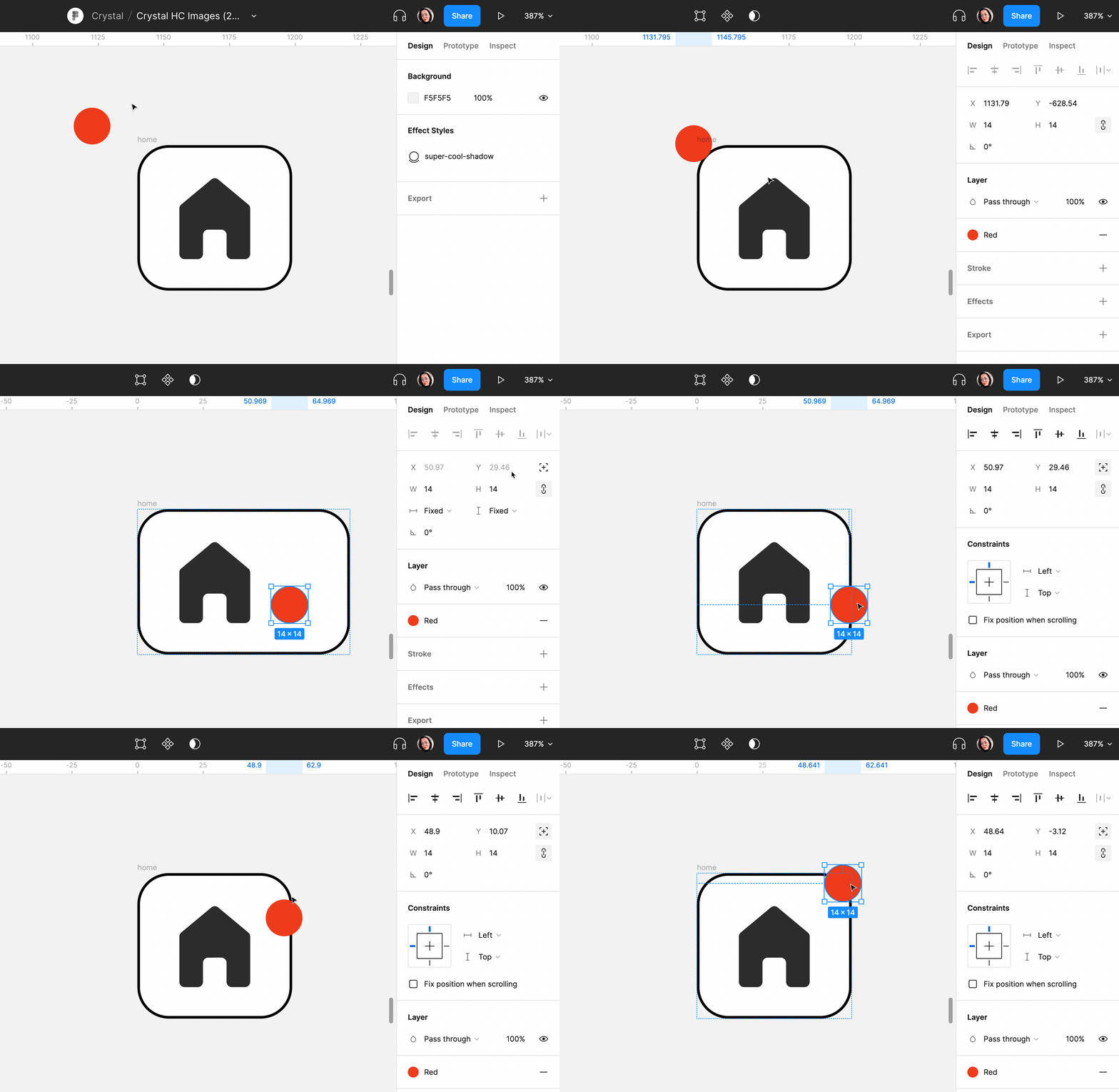
Hey @Ramya1, it sounds like applying absolute positioning to the icon might help solve this problem! Here’s an example GIF from Figma’s documentation:


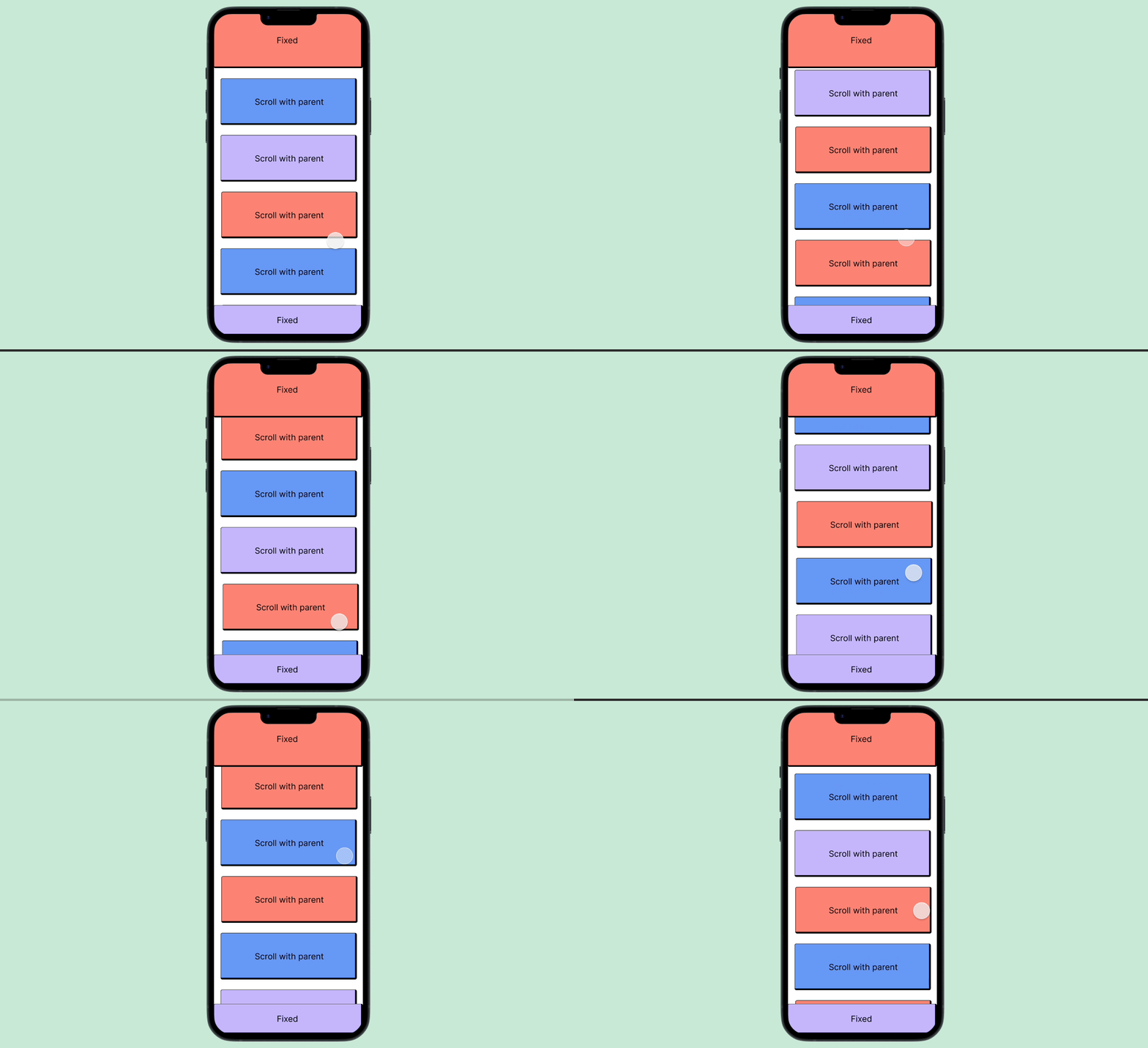
If you’re also creating a prototype, you’ll also want to be sure to set the icon layer to “fixed” so you get the following effect:

2 replies

AlicePackard
Power Member
July 23, 2023

Hey @Ramya1, it sounds like applying absolute positioning to the icon might help solve this problem! Here’s an example GIF from Figma’s documentation:


If you’re also creating a prototype, you’ll also want to be sure to set the icon layer to “fixed” so you get the following effect:

I write about building excellent Figma components on my blog: https://alicepackarddesign.com/blog
Ramya1Author
July 24, 2023

Hey Alice, thanks a ton for the quick resolution. Absolute positioning worked.