

Absolute Scroll Fails to Execute Multiple Steps in Component Variant
I am trying to create a standard horizontal carousel with two-step navigation (scroll arrow begining middle and end) using a Component Set to manage arrow visibility.
-
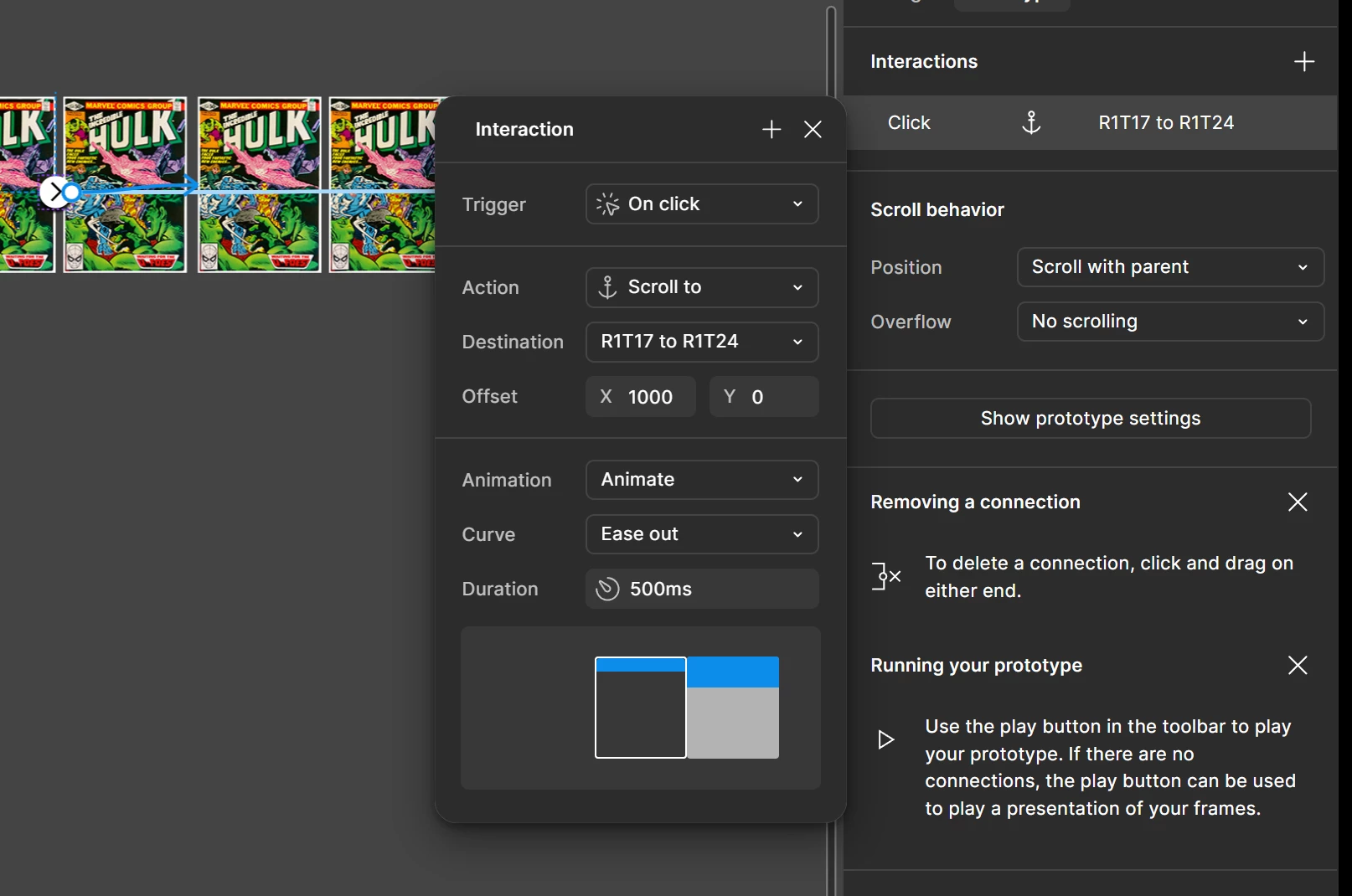
Goal: When the Right Arrow is clicked in the
Startstate, the row should smoothly scroll to X=1000 pixels and the button should change state toMiddle(showing the Left Arrow). -
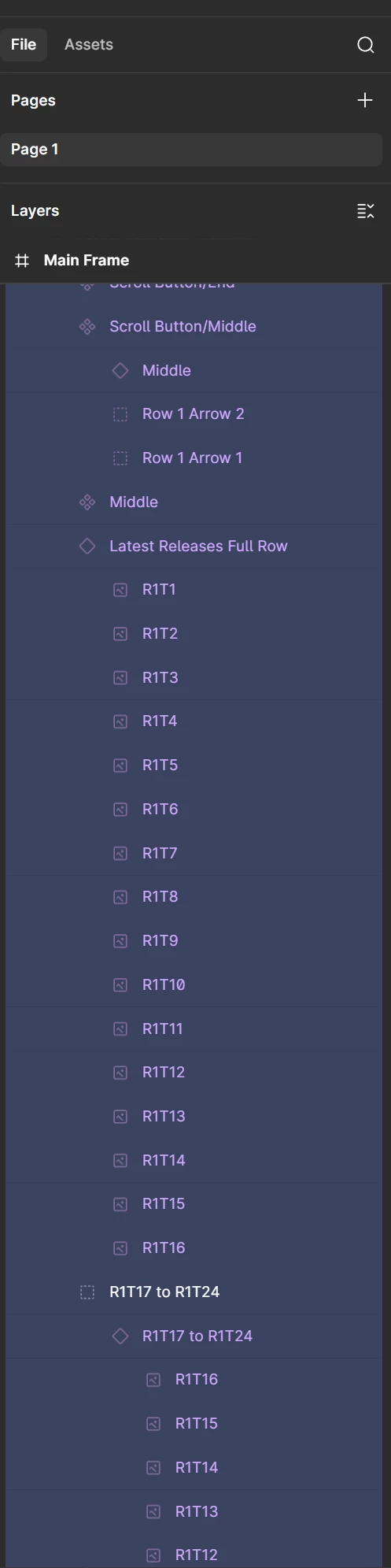
Setup: The content row (
Latest Releases Full Row) has horizontal overflow. The button logic is contained within a three-variant component set (Start,Middle,End). At the end of the first 16 tiles I a have added 8 more tiles in the layers called R1T17 to R1T24. -
Failure: The first Right Arrow interaction work perfectly (scrolls to X=1000 and changes state). However, the Left Arrow in the
Middlestate is failing: it executes the "Change to" action but does not execute the "Scroll to" action. The view remains scrolled to X=1000
I have exhausted all known native solutions and workarounds:
-
Tested Nudge (Relative Scroll): The native
Scroll towith a negative offset (Nudge) failed because the deep content layer (Latest Releases Full Row) was not selectable as a destination. -
Simplified Layer Structure: I flattened the layer hierarchy so the wide content row is a direct child of the viewport to resolve the deep-nesting issue. This did not fix the nudge.
-
Confirmed Absolute Scroll Works (Right Arrow): The Right Arrows work because they scroll to a fixed position (X=1000 or 1297) and successfully change the component state.
-
Checked Animation: The Left Arrow's Scroll to action is set to
Ease Out(500ms), notInstant, to prevent animation conflicts. The component Change to action is set toSmart Animate. -
Verified Clickability: The interaction is placed on the parent group of the arrow and ellipse to ensure the entire button is clickable, and the layer is not hidden behind another element.
The issue seems to be a conflict where the Scroll to action on the Left Arrow is cancelled by the subsequent Change to action, but only when scrolling back to X=0.
| Button Clicked | Current State | Action 1: Scroll to... | Action 2: Change to... | Result |
| Left Arrow | Middle | Destination: Latest Releases Viewport, Offset X: 0, Y: 0 | Destination: Start (Smart Animate) | Fails to scroll to X=0. Changes state correctly. |