Oct 13, 2023 3:00 PM UTC
Solved

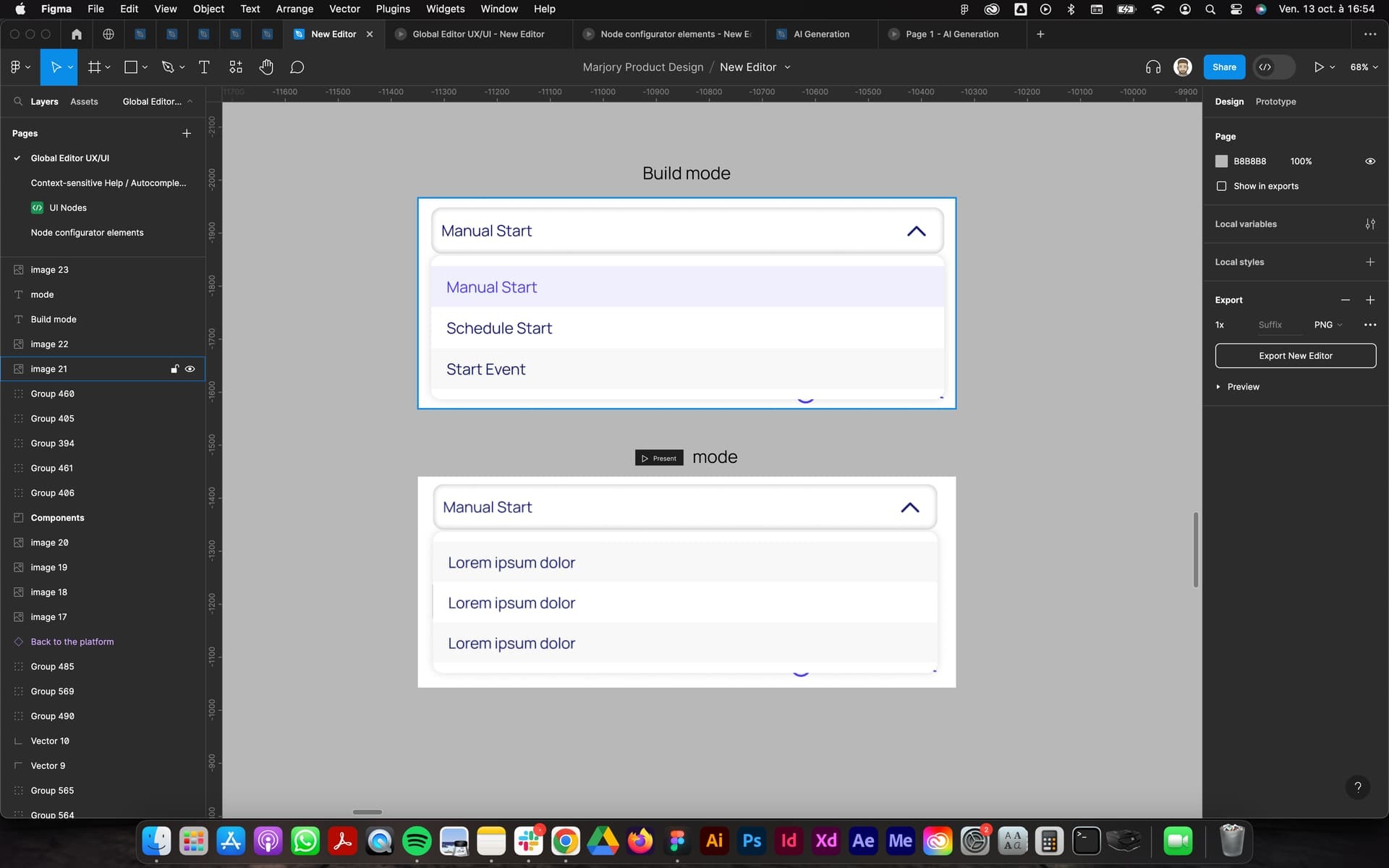
Display bug between build and Present mode

Hello,

Can someone explain to me why the display of the texts in my list is not taken into account when I launch “present mode”?

The dropdown displayed is an instance of my main component

Thank you for your help
This topic has been closed for replies.
tank666
tank666Solution
Oct 13, 2023 4:59 PM UTC

In your screenshot, I don’t see the structure of the variants in the “drop-down_list” component set.

Everything that is in the expanded variant should also be in the collapsed variant.

Please see the example file in this post: Text property does not work properly - dropdown menu - #9 by tank666.

UX/UI designer. Figma expert. Creator and developer of plugins and widgets for Figma and FigJam. Check out my resources in Figma Community: figma.com/@tank

5 replies

tank666
Oct 13, 2023 3:10 PM UTC
UX/UI designer. Figma expert. Creator and developer of plugins and widgets for Figma and FigJam. Check out my resources in Figma Community: figma.com/@tank
Oct 13, 2023 4:37 PM UTC

Thanks for your response but I don’t understand how to do that…

Is my way of creating a component is correct?

tank666
tank666Solution
Oct 13, 2023 4:59 PM UTC

In your screenshot, I don’t see the structure of the variants in the “drop-down_list” component set.

Everything that is in the expanded variant should also be in the collapsed variant.

Please see the example file in this post: Text property does not work properly - dropdown menu - #9 by tank666.

UX/UI designer. Figma expert. Creator and developer of plugins and widgets for Figma and FigJam. Check out my resources in Figma Community: figma.com/@tank
Oct 13, 2023 5:42 PM UTC

Hoo yes, I think understand and my drop-down is now correct !

Here is my structure after reading the topic that you gave me
This is the best practice in my screenshot?

Oct 17, 2023 7:56 AM UTC

@tank666 Hi, thank you for your help, it works correctly 🙂