
Question

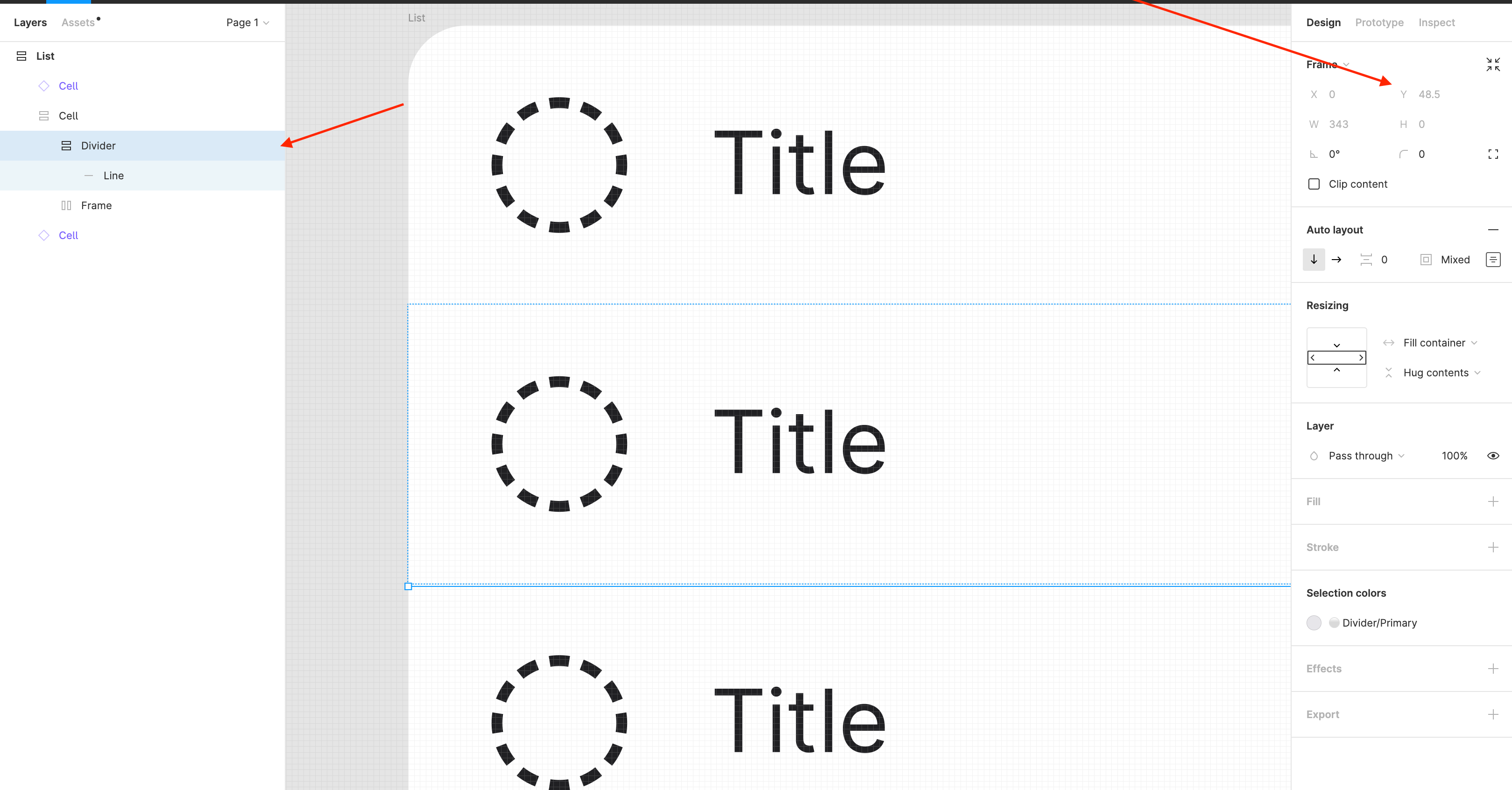
Lines in Autolayout

  • May 5, 2022
  • 6 replies
  • 1274 views

Julia_Shlyapnikova

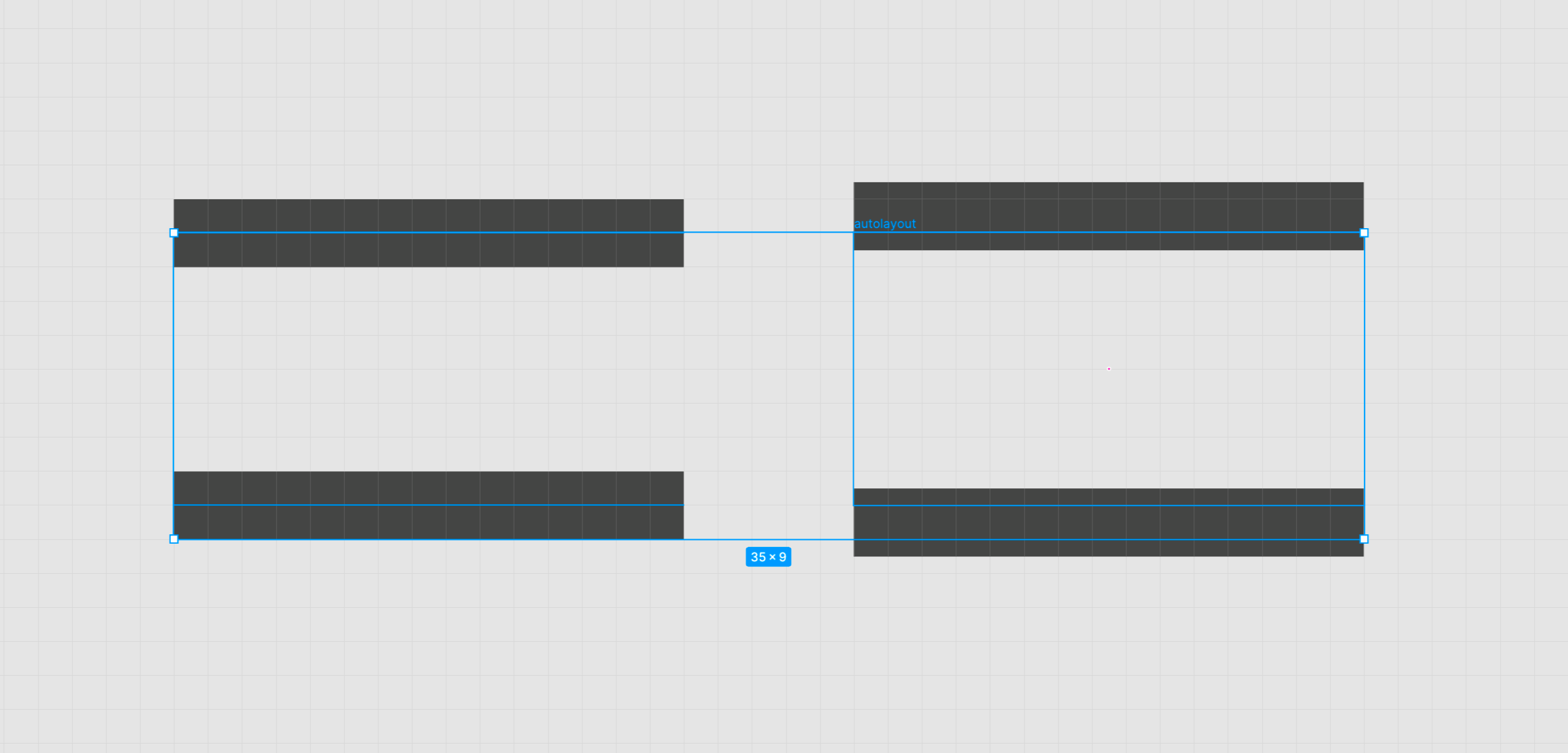
I noticed a weird lines behavior after the last update. Once added into an auto-layout, the line automatically changes its coordinates by 0.5 pt, no matter the weight.
…And it makes things really awkward.
Is anyone else having trouble with this?

This topic has been closed for replies.

6 replies

Peak_Xing
  • May 5, 2022

0px → 0.5px
o Nooooooooooo


Pavlo_Kiselov

Oh, snap! They changed algorithm somehow so now there is no zero size elements ;( I noticed that change too and after checking it with lines I can see that it was a global change indeed

https://forum.figma.com/t/zero-size-frames-now-take-space/20915/2


Dmitrii_Vashchinnikov

Lines in autolayout (zero height) also moved down by 0.5 😠


  • January 24, 2024

I have some trouble as you, did you already fix it ?


Julia_Shlyapnikova

Try flattening the line with cmd+E and see if it helps. The coordinates no longer change, but it adjusts the position visually.


Gayani_S
Figmate
  • Community Support
  • January 26, 2024

Hey there, this issue was already resolved. However if you’re still experiencing the issue please contact our support team: https://help.figma.com/hc/en-us/requests/new?ticket_form_id=360001731233.