
September 21, 2023
Solved

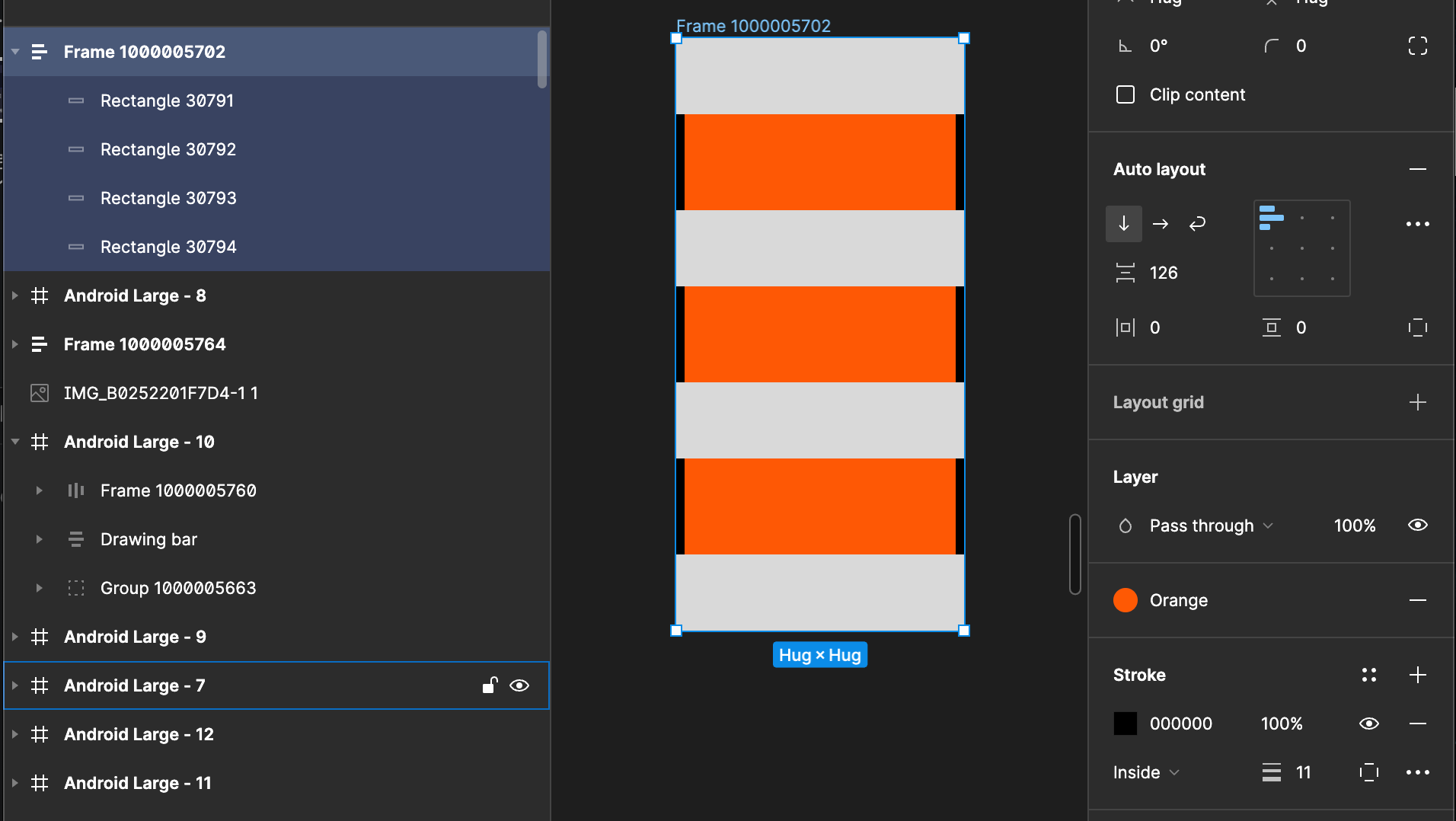
Is there anyway to put auto layout stroke on the top?

  • September 21, 2023
  • 2 replies
  • 1937 views

When I make inside stroke in auto layout group, if there’s filled object inside the stroke gets covered.
Is there any way that I can put the stroke on the top?

I’ve seen some youtube tutorial, when they do that it works as I want but when I try it doesn’t even have a hint to work like that
🤔

Please share your wisdome!
This topic has been closed for replies.
Best answer by tank666

Check the frame’s Clip content property or:

2 replies

tank666
tank666Solution
September 21, 2023

Check the frame’s Clip content property or:

UX/UI designer. Figma expert. Creator and developer of plugins and widgets for Figma and FigJam. Check out my resources in Figma Community: figma.com/@tank
AhyunAuthor
September 22, 2023

Ohh thank you!!
I’ve been using it without the problem but all of sudden it happened, I guess i checked the wrong one when I browse

Thank you so much!
