March 3, 2023
Solved

Fixing the hat

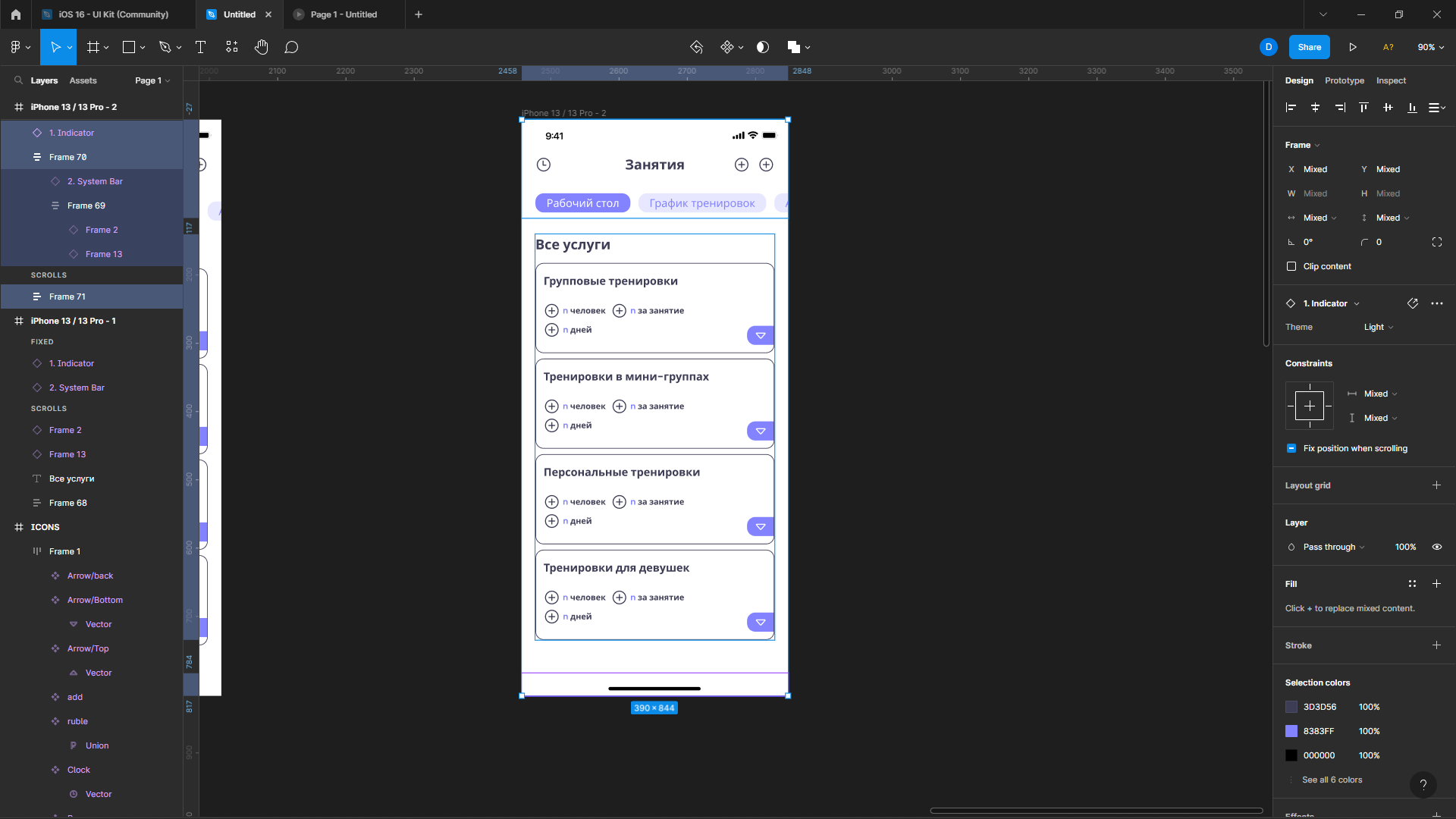
How do I make the frame increase when I open the cards so that I can scroll. I know that you can add autoleiut on the main frame, but then my header is not fixed (part of the header from the iPhone, the header and carousel)

This topic has been closed for replies.
tank666
tank666Solution
March 3, 2023
UX/UI designer. Figma expert. Creator and developer of plugins and widgets for Figma and FigJam. Check out my resources in Figma Community: figma.com/@tank

7 replies

tank666
tank666Solution
March 3, 2023
UX/UI designer. Figma expert. Creator and developer of plugins and widgets for Figma and FigJam. Check out my resources in Figma Community: figma.com/@tank
March 3, 2023

Thank you very much, this is the second time you’ve helped me 😃

March 3, 2023

Do we have to add indents to everything below the header after we have added an absolute position to it?

tank666
March 3, 2023

Yes, you need to add a top padding for the content so that the object fixed at the top does not overlap it. Or, instead of padding, you can add a transparent object that matches the height of your header.

UX/UI designer. Figma expert. Creator and developer of plugins and widgets for Figma and FigJam. Check out my resources in Figma Community: figma.com/@tank
March 4, 2023

То есть это должно выглядеть как то так ?

March 4, 2023

но тогда что мне делать с этим индикатором ? у него нет параметра Fix если я накидываю автолейаут на весь экран

tank666
March 4, 2023
UX/UI designer. Figma expert. Creator and developer of plugins and widgets for Figma and FigJam. Check out my resources in Figma Community: figma.com/@tank
