lejq
June 4, 2024
Question

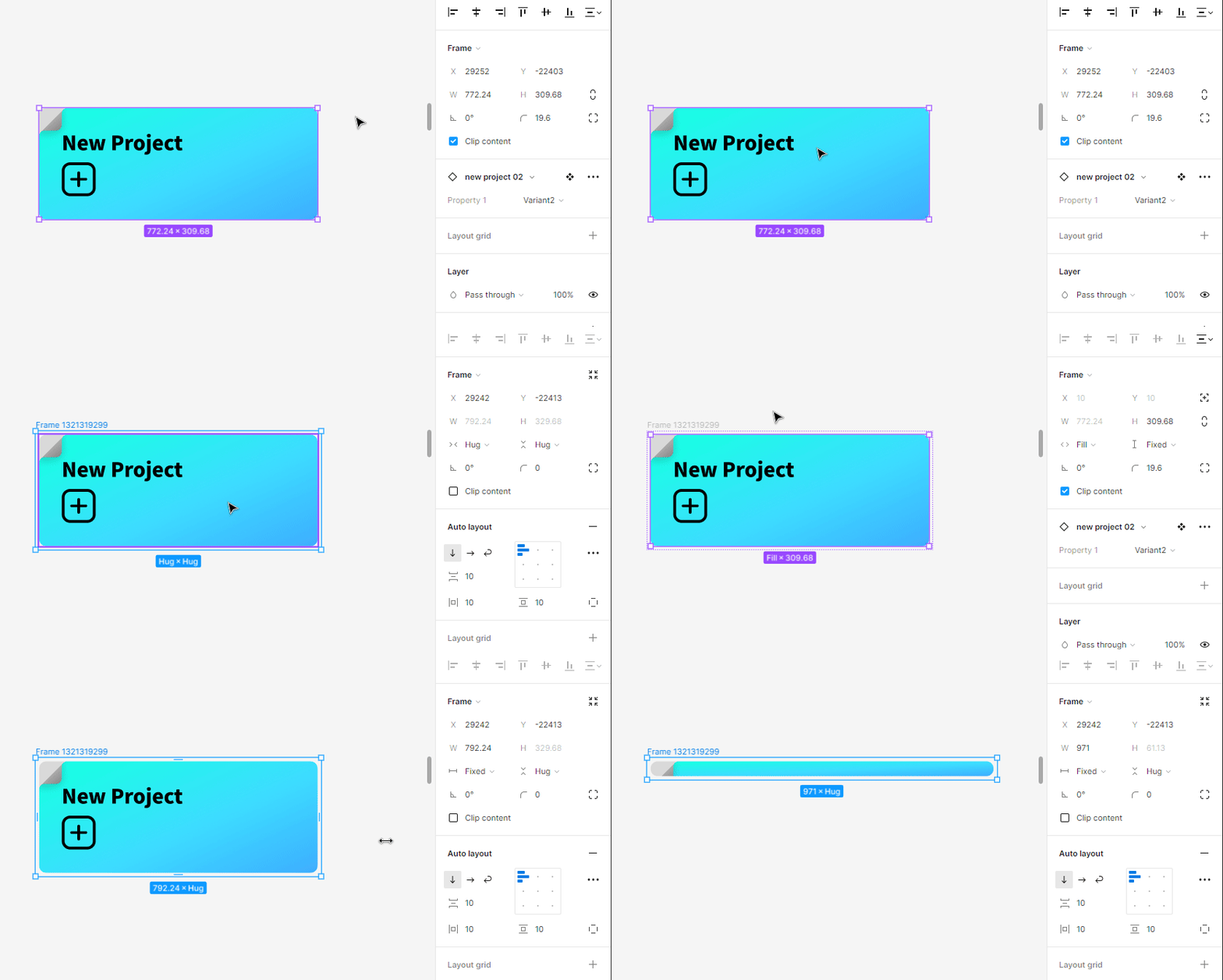
[Fix the Bug Since 2023] Horrible Scaling

  • June 4, 2024
  • 4 replies
  • 309 views

Scale Instance+Auto Layout Fill+Resizing=
Figma_Ch1zSdhbgE

This topic has been closed for replies.

4 replies

Gleb
Power Member
June 4, 2024

Judging by “Frame 132549849899” and the size of the frame having fractional numbers (777.24 px etc.) the design is quite unorganized. It’s hard to say what went wrong with this exact component without seeing the file but if there is a mess in the layers — adding any sort of auto layout would always result in a mess. I just tested this exact scenario, wrapping an instance in AL, setting it to fill and resizing — it works perfectly fine.

lejq
lejqAuthor
June 4, 2024

Judging by your reply, you did not notice what I said Scale Instance+Auto Layout Fill+Resizing .

Try Scale Instance first then add Auto Layout and change the frame size.

Gleb
Power Member
June 4, 2024

Ohhh I see that’s fun

For bug reports contact Figma support, they are useless here on the forum. https://help.figma.com/hc/en-us/requests/new?ticket_form_id=360001744374

lejq
lejqAuthor
June 6, 2024

Thank you for your reply. I really love the atmosphere of Figma community.
