

Answer

After scaling the style used in effects is broken

  • October 10, 2024
  • 3 replies
  • 73 views

Chaine

I use a style from my team library for a frame inside a frame. After I rescale(use key K) the outside frame, the link between style and team library is broken, the style becomes separated effects.
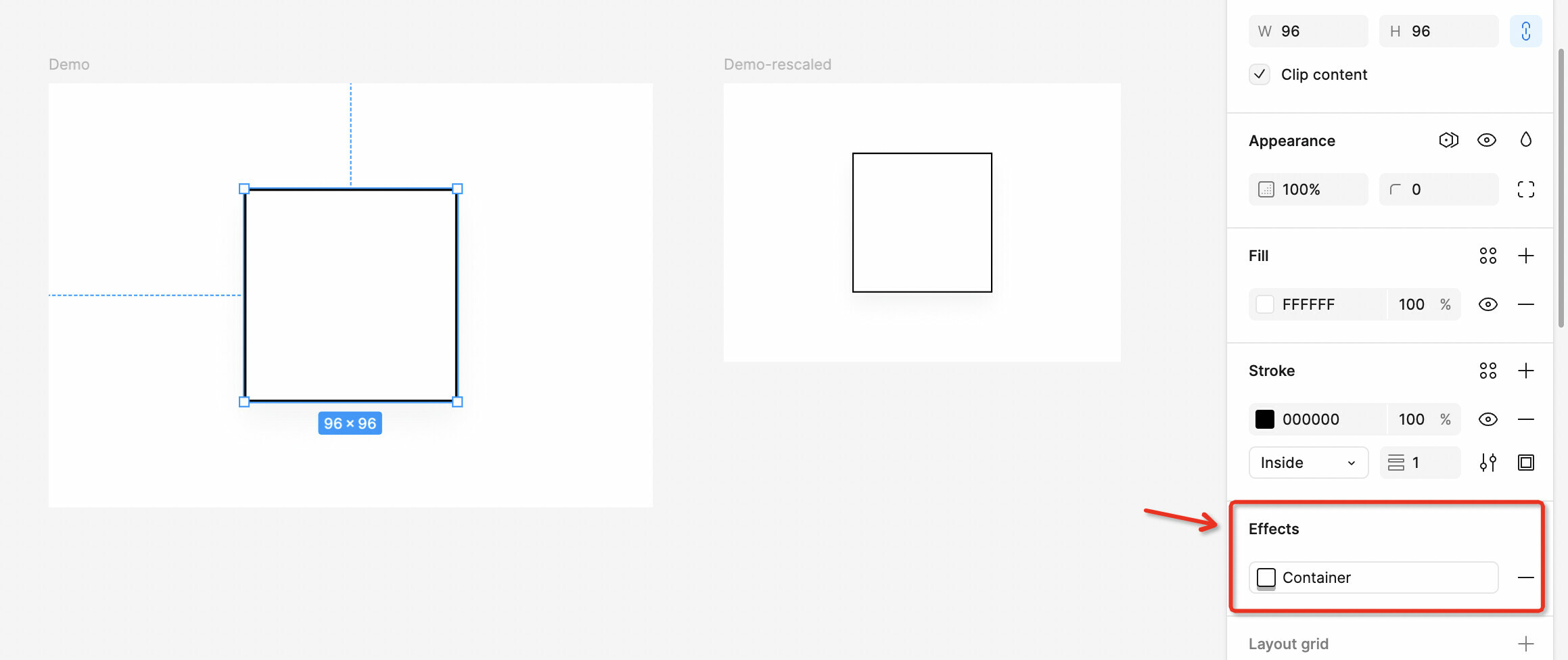
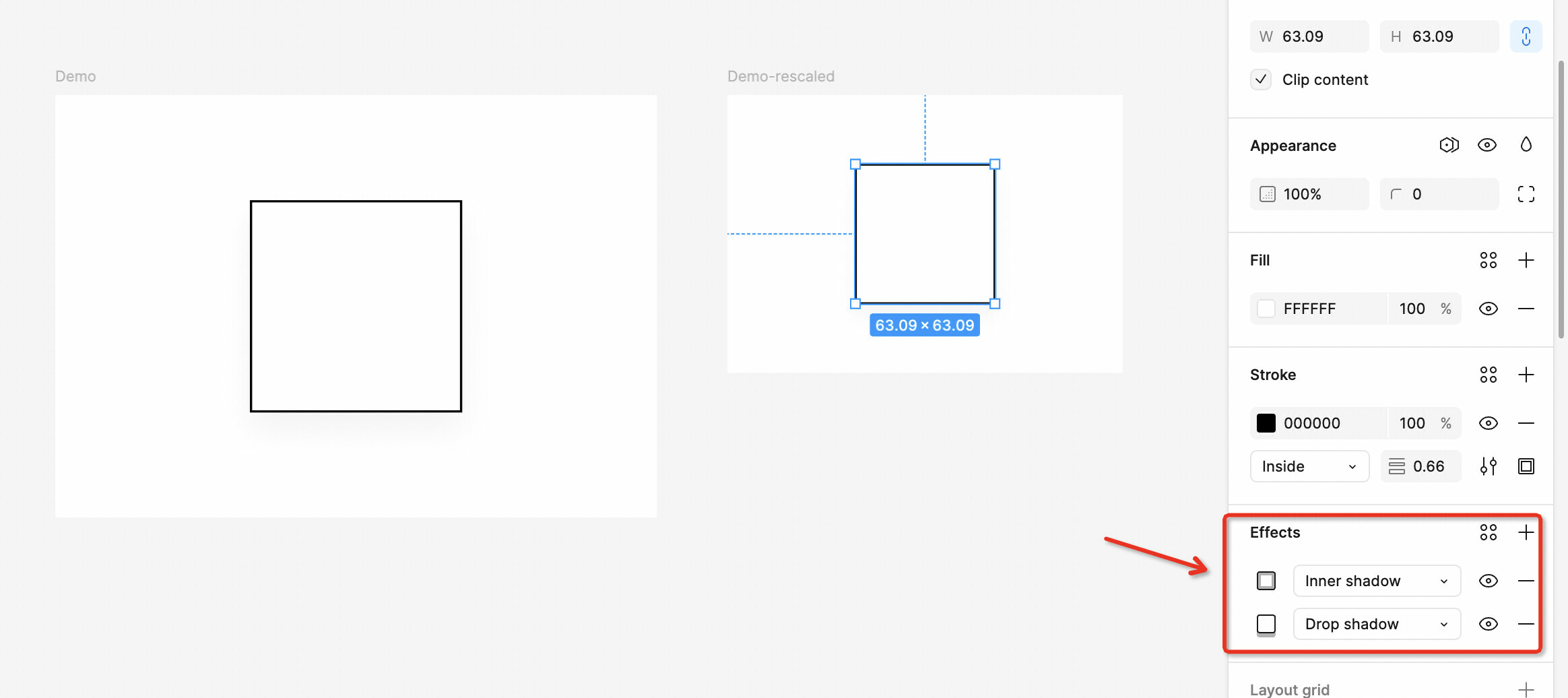
I want to rescale the whole frame to be used in different place and now the style link is broken, I couldn’t keep those style same as each other.

Best answer by Osama_Turki

I believe you are scaling the object using the Scale Tool (K), if so this also would scale the effects, which in a way making them different effects than the one you defined.

for example, you have 500px by 500px square, were you applied drop shadow with the following attributes (x:4px, y:4px, blur:10px, Spread:0px). If you scaled this to 0.5 -using the scale tool- it would become a 250px by 250px square with a drop shadow of (x:2px, y:2px, blur:5px, spread: 0).

if you are looking to maintain the original effect change the size from the properties panel or using the move tool (V). But if you want to have the effects to change also, you would have to define a new style for the effects to be able to reuse it.

This topic has been closed for replies.

3 replies

Osama_Turki
  • Active Member
  • Answer
  • October 10, 2024

I believe you are scaling the object using the Scale Tool (K), if so this also would scale the effects, which in a way making them different effects than the one you defined.

for example, you have 500px by 500px square, were you applied drop shadow with the following attributes (x:4px, y:4px, blur:10px, Spread:0px). If you scaled this to 0.5 -using the scale tool- it would become a 250px by 250px square with a drop shadow of (x:2px, y:2px, blur:5px, spread: 0).

if you are looking to maintain the original effect change the size from the properties panel or using the move tool (V). But if you want to have the effects to change also, you would have to define a new style for the effects to be able to reuse it.


Chaine
  • Author
  • New Participant
  • October 10, 2024

Thank you for your reply! 😀


Paulina_Szuscik

Thank you for your replay, it was helpful for me as well!