
Ferid_Muradov
April 8, 2023
Solved

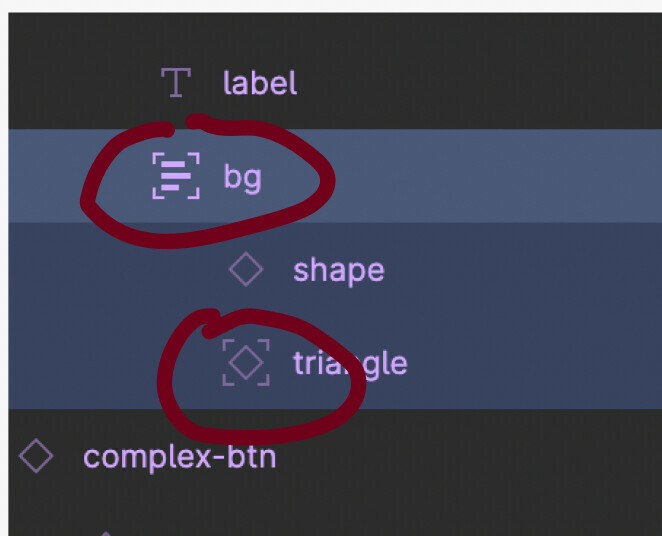
What these icons mean?

  • April 8, 2023
  • 4 replies
  • 13505 views

I think those are somehow related to making layers stay still under an auto-layout layer. I always seen them in complex buttons with bg layers. Can you please put a light on it?

This topic has been closed for replies.
Best answer by tank666
Figma Learn - Help Center

4 replies

tank666
tank666Answer
April 8, 2023
UX/UI designer. Figma expert. Creator and developer of plugins and widgets for Figma and FigJam. Check out my resources in Figma Community: figma.com/@tank
Ferid_Muradov
April 9, 2023

Thanks. Appreciate that.

natalie_chong
December 10, 2023

do you know how to remove it? i tried to auto layout all my elements, but those elements with the rectangle on are not responsive

tank666
December 10, 2023

Please refer to the Help Center article from the post above.

UX/UI designer. Figma expert. Creator and developer of plugins and widgets for Figma and FigJam. Check out my resources in Figma Community: figma.com/@tank