
Solved

See more and see less button

  • February 20, 2024
  • 7 replies
  • 1885 views

Hi guys, I have a challenge at the moment.
So I have created the see more and see less button for a text I have on a page which seem to be working but the only issue right now is that when I expand the text to see more it overlaps into other contents. I’ll add an image to explain better. Please any suggestions on how to go about this

Best answer by Raphael_M

Hi, Xofie.

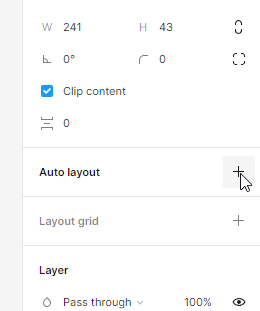
Try using auto-layout so it will automatically adjust the height when you open it.
image

I’m not entirely sure how you did the see more. Is it possible to share a link of your file if you want me to help you based on you current implementation?

Thank you.

This topic has been closed for replies.

7 replies

  • Author
  • February 20, 2024


Raphael_M
  • Power Member
  • Answer
  • February 20, 2024

Hi, Xofie.

Try using auto-layout so it will automatically adjust the height when you open it.
image

I’m not entirely sure how you did the see more. Is it possible to share a link of your file if you want me to help you based on you current implementation?

Thank you.


  • Author
  • February 20, 2024

Hello Raphael,
Thank you for your response, I gave that a try but still didn’t fix it, maybe I wasn’t doing it right. Here’s a link to it https://www.figma.com/proto/49yVWh4GlJrmDgjUNojIyE?node-id=15-95&locale=en

Regards,
Xofie


Raphael_M
  • Power Member
  • February 20, 2024

Hi, Xofie.

It should work if the height is set to hug and it’s in an auto-layout.

Here is an example of it:

But, I’m not entirely sure how you did the see more function. Is it possible for you to share the file (not the prototype)?

Thank you!


  • Author
  • February 20, 2024

Thank you once again, I believe the video will be of help. Here’s the link to the file. Please have a look.

Figma – 13 Feb 24

Regards.


Raphael_M
  • Power Member
  • February 21, 2024

Hi, Xofie.

After checking your files, it seems like you didn’t do the auto-layout.

I’ll send you an example of how to do it in auto-layout.
Xofie.fig (2.3 MB)

Some links:

Figma Learn - Help Center

  • Author
  • February 22, 2024

Thank you so much for your help!