

Michele_Poletto
New Member
October 12, 2023
Question

Local variables panel is not resizable anymore

  • October 12, 2023
  • 7 replies
  • 412 views

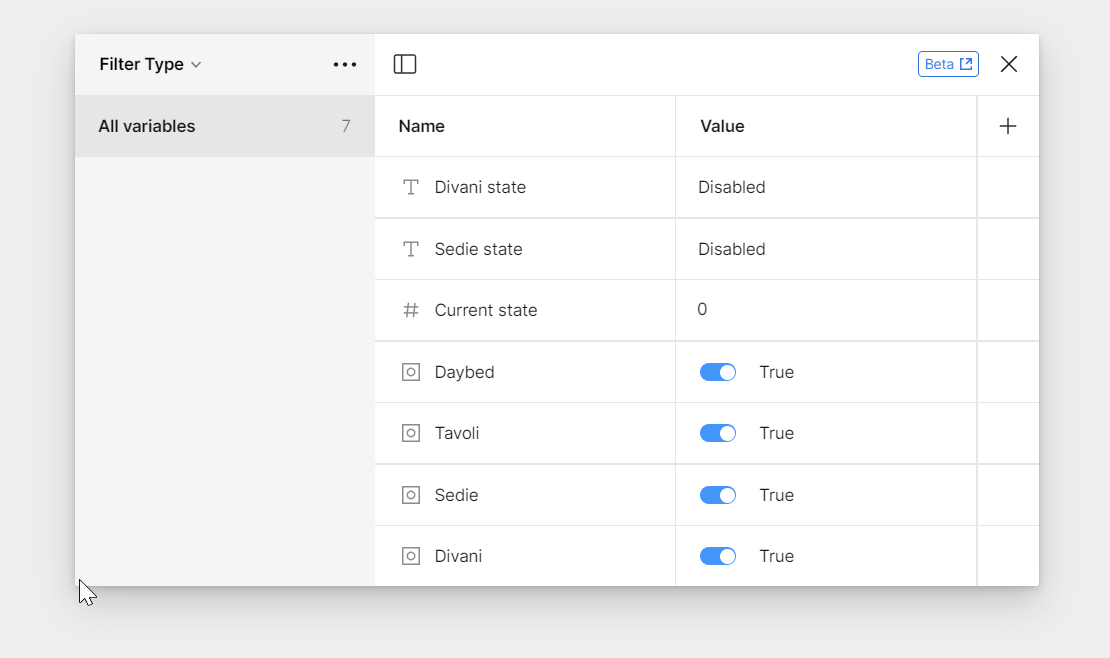
I don’t know if it’s a problem only I’m experiencing, but the Local Variables panel has been non-resizable since this morning, and in this way, I can’t work on my project anymore. Is it an issue only I’m facing, or is it a known bug? Is there a temporary workaround that would allow me to continue working?

Thank you.
    This topic has been closed for replies.

    7 replies

    Dean_Smith
    October 12, 2023

    i know what is that

    Clement3
    New Participant
    October 12, 2023

    Same here !

    Jose_Devian2
    October 12, 2023

    same here. not only it is not resizeable, I can’t seem to be able to create a new variable since the button is buggy (or sometimes gone).

    Figma Desktop App version 116.13.3; macOS Sonoma 14.0

    Jonathan_Summers-Muir
    October 14, 2023

    same. was resizable for a while, no longer isn’t.

    y_toku
    Figmate
    Community Support
    October 17, 2023

    Hey there, thanks for pointing out. Our team is already working on improving this, but we don’t have an exact timeline to share just yet - stay tuned!

    Toku / 徳永
    Figma Support

    Hoang_Tran
    October 23, 2023

    Hi Figma and @y_toku

    I get frustrated with the panel of Local Variables when it always re-size when I click on the variable category. I remember that I could scale the height of this panel, but it no longer works like this.

    Local variables are super useful, hope you can fix this minor bug ASAP.

    Thank you and best regards.

    y_toku
    Figmate
    Community Support
    November 17, 2023

    Hi there, thanks for your patience! I think it’s fixed, so could you check?