Abdul_Wahab1
May 13, 2023
Solved

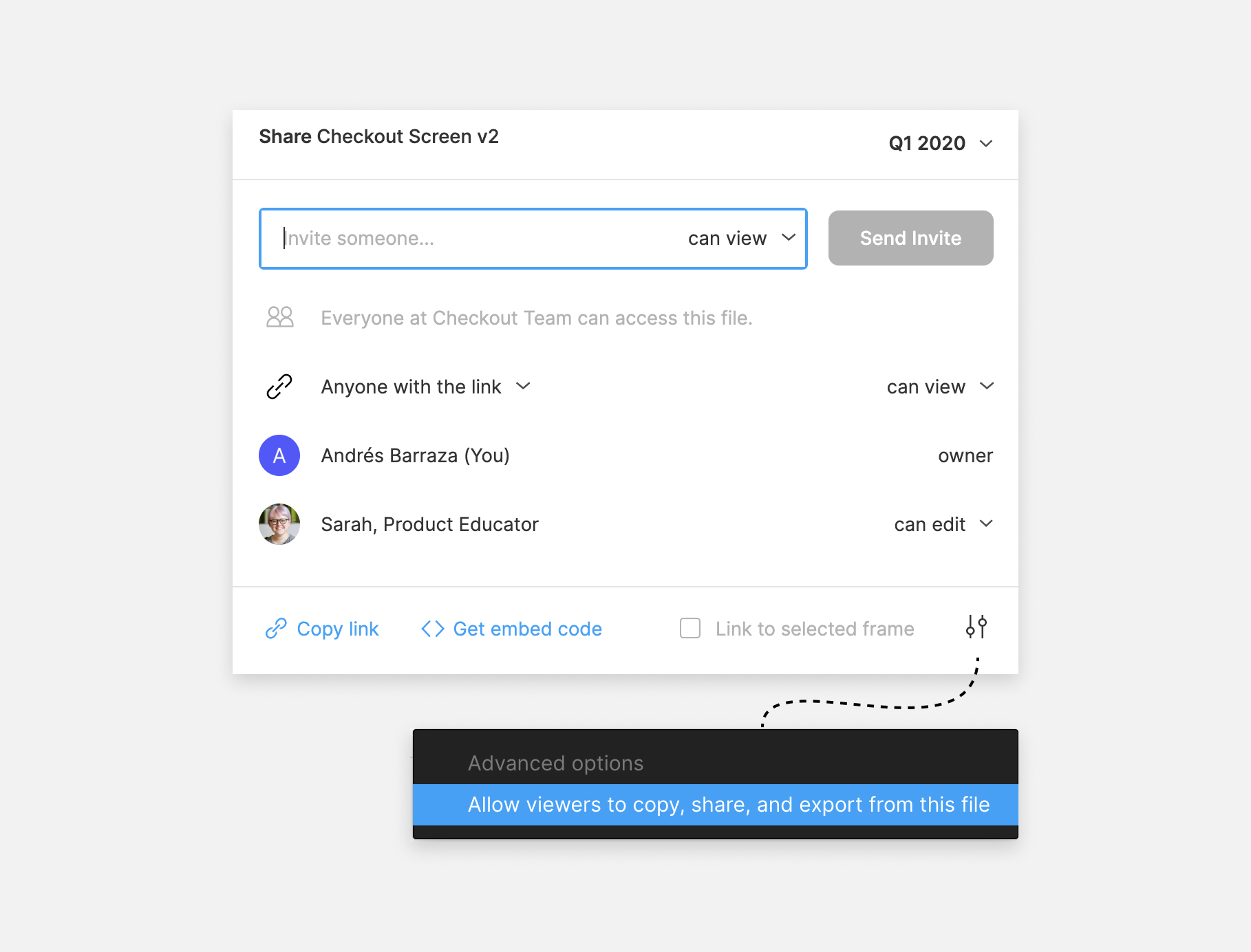
How to stop others from duplicating my design files?

  • May 13, 2023
  • 6 replies
  • 2091 views

Image 1: I had seen some examples of that files are unable to duplicate.

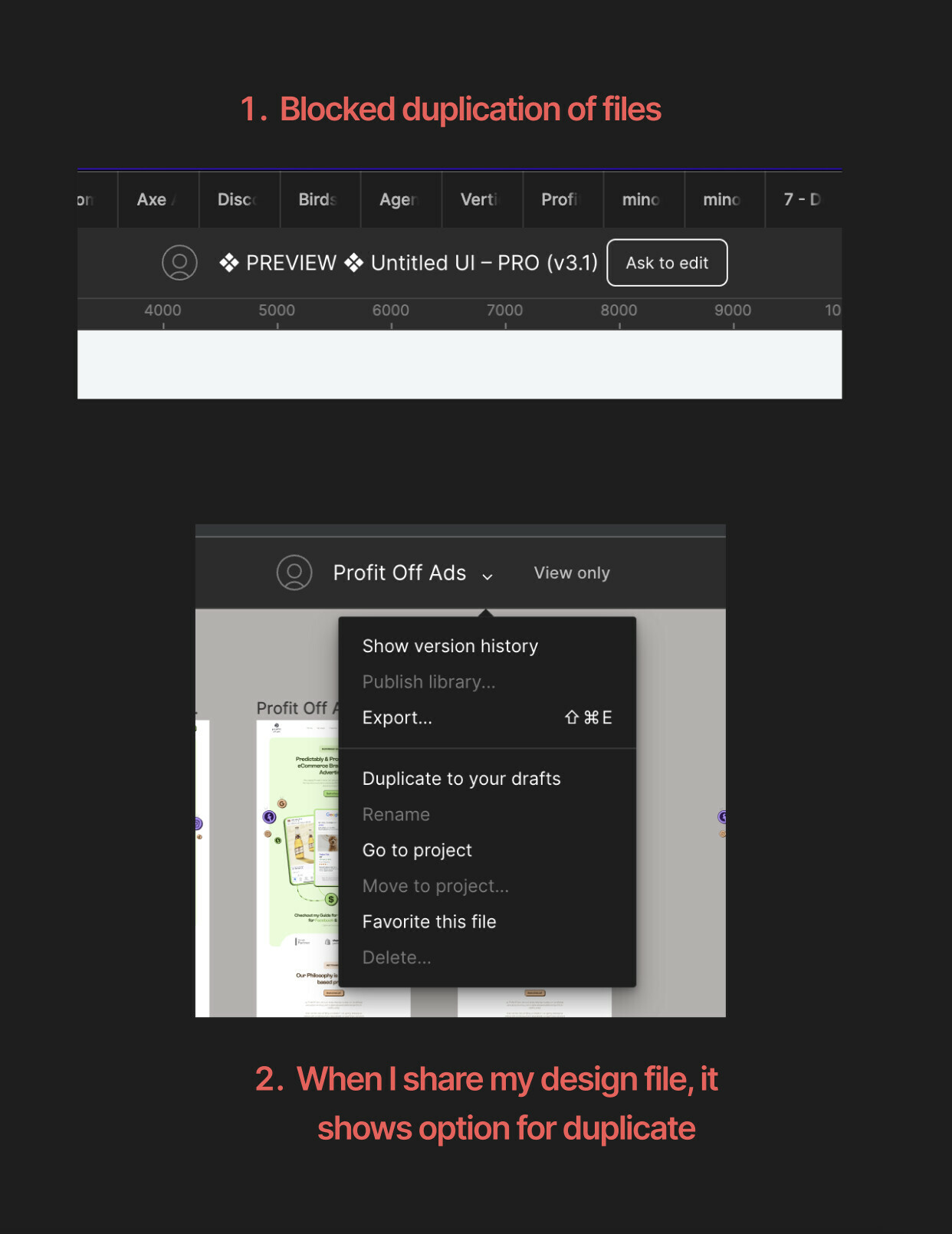
Image 2: even though I am on the paid account but when I share the design file, it shows like this for others.

This topic has been closed for replies.
Best answer by tank666

Figma Help Center

6 replies

tank666
tank666Answer
May 13, 2023
UX/UI designer. Figma expert. Creator and developer of plugins and widgets for Figma and FigJam. Check out my resources in Figma Community: figma.com/@tank
November 3, 2023

Hello, I can’t find this option in Figma. What kind of plan do I need to be able to do this?

Manu_M1
November 4, 2023

you need to be on organization paln to do this

tank666
November 4, 2023

This option is available in the Professional, Organization, and Enterprise plans.

UX/UI designer. Figma expert. Creator and developer of plugins and widgets for Figma and FigJam. Check out my resources in Figma Community: figma.com/@tank
Akash_Pandey
May 24, 2024

It was working fine 1 month ago. Now I also have the same problem.

djv
Figmate
Community Support
May 27, 2024

Hey @Akash_Pandey, sorry for the trouble and confusion!

This is still possible, but it’s now located in a different spot. From Share > Who has access “can view” > uncheck “Viewers can copy, share, and export from this file” under Advanced