Solved

How do I make my navigation bar icons go to the desired page immediately?

  • September 29, 2023
  • 4 replies
  • 1429 views

I have a navigation bar at the bottom with icons requiring a double tap to navigate to the intended pages and I’m not sure how I managed that. Anybody know how it could’ve happened? I’m thinking it may have been an interaction issue but I’m unsure. Project

Best answer by JuneBug

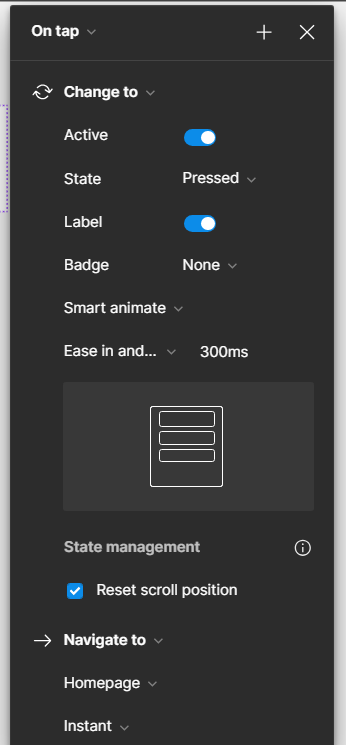
I figured it out! 😭My hover button wasn’t active and now I can tap once and go over to a new page.

This topic has been closed for replies.

4 replies

Nate_G
  • Power Member
  • October 1, 2023

Thanks for showing your example.

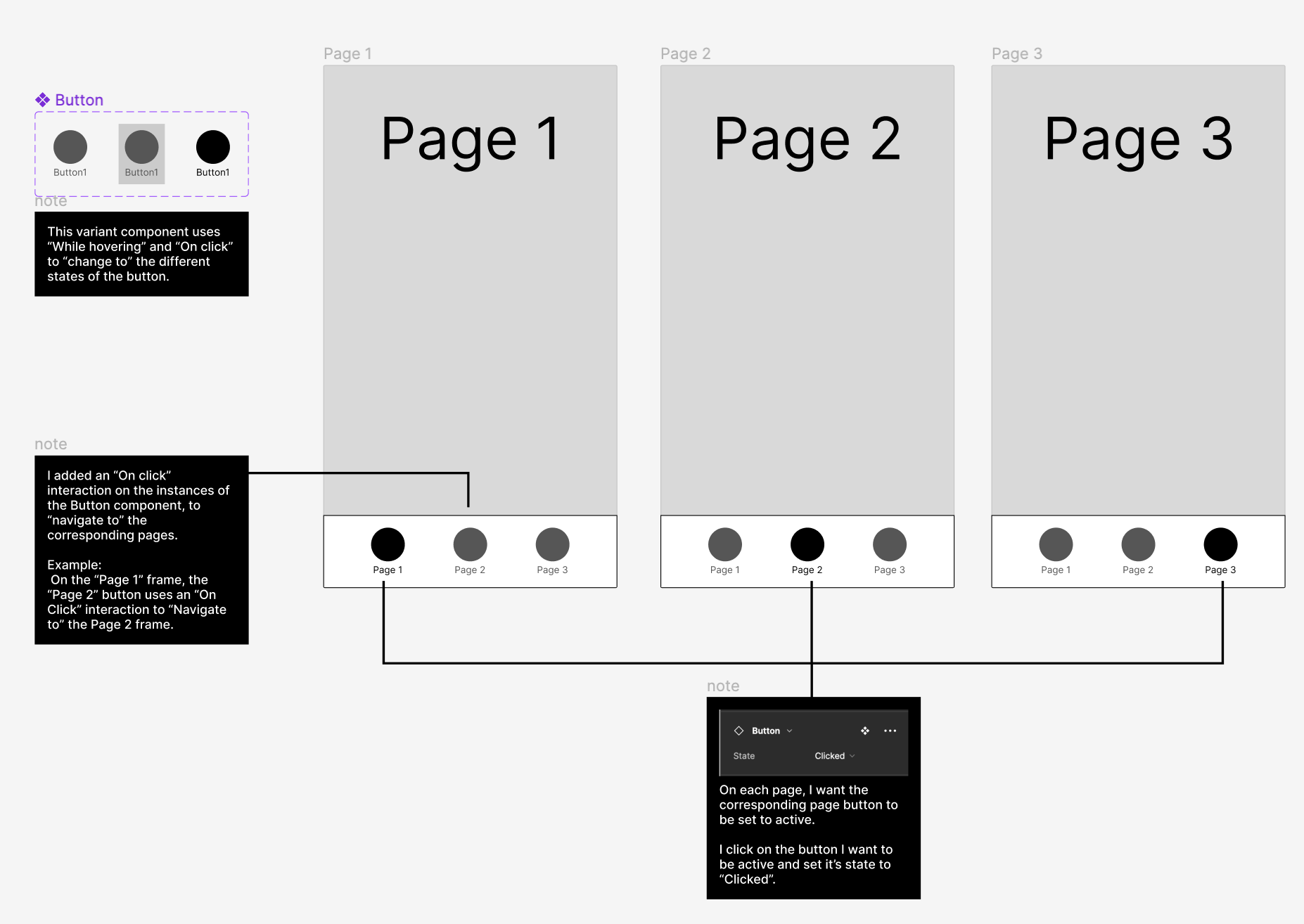
I’m still not sure how you set it up, but I put together this rough example of how it could be set up to work as expected.

⮑ View Prototype
⮑ View Figma File if you want to see how it is set up.


  • Author
  • October 1, 2023

Hi Nate, thank you for your response. I have something similar to that but not sure what else is missing. I’m attaching the settings I have it set on let me know if you need another screenshot.


  • Author
  • Answer
  • October 1, 2023

I figured it out! 😭My hover button wasn’t active and now I can tap once and go over to a new page.


Nate_G
  • Power Member
  • October 2, 2023

Ah, that makes sense now, glad you figured it out!