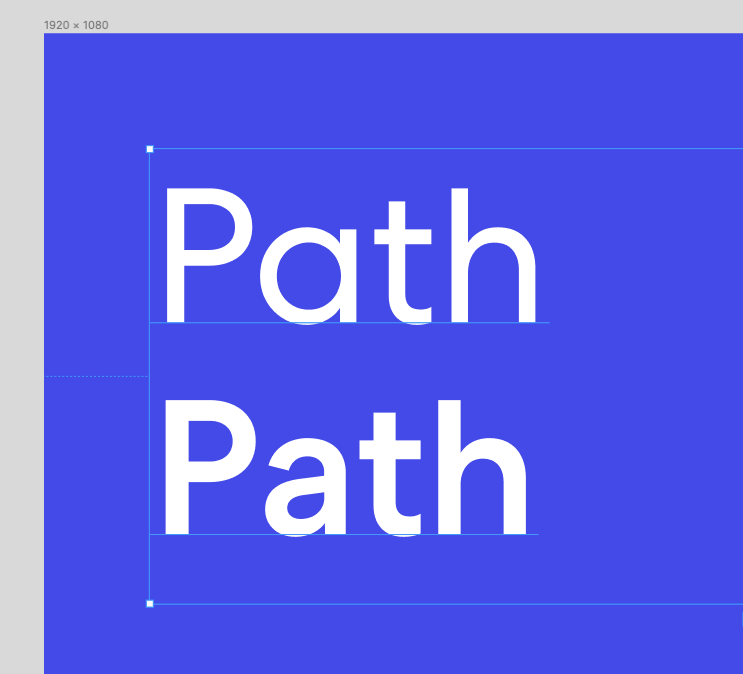
My lowercase ‘a’ keeps switching from a closed ‘a’ to an open ‘a’ when I switch the font weight from book to medium. Any ideas for a solution? I’ve completely deleted the fonts from my system and reinstalled only the closed letterform version, and restarted both Figma and my laptop. Oh and it’s happening on the desktop and online version.

Solved
Font is switching letterforms between weights
Best answer by Meredith_Taylor
@MartinBajac
Hi! All weights of the font had the same letterforms in the original otf and ttf files. In fact none of them even included the open style, which is why it was so weird. But I found a solution!!
Text –> Details –> Stylistic Sets. I toggled the sets off an on and the “a” and the “g” toggled between the open and the closed styles.
This topic has been closed for replies.

Enter your E-mail address. We'll send you an e-mail with instructions to reset your password.